Guide
Impara AriaQR in quindici minuti
Sette brevi video, registrati sul prodotto vero. Vai a un passaggio qualsiasi, leggi nella tua lingua o cerca quello che ti serve.
Popolari
Voce in inglese, con sottotitoli in 49 lingue.Ogni guida è scritta anche passo per passo, sotto il video.
La serie
Guardale in ordine, oppure parti da dove ti serve aiuto.
Help articles
Every part of AriaQR, explained step by step with pictures.
Getting started4 articles
- How AriaQR worksYou upload a picture and choose what the code should open. AriaQR turns the picture itself into a QR code, checks that it scans, and gives it a short link you can change later. You only pay when you activate it.
- What activating a code meansActivating turns a generated code live: its short link starts opening your destination, every scan is counted, and the 2048 px print file unlocks. You activate with a plan, or pay once for that one code.
- Dynamic or static codesA dynamic code holds a short link, so you can change where it goes and count every scan. A static code holds the data itself: it works offline and can never change. Picture codes are dynamic unless the type needs static.
- Download and print your codeOnce a code is live, open its full report and click “Download 2048px master”. Choose a white border for print, or add a “Scan me” frame. Print it at 4 cm or larger, or pick Small print for cards and stickers.
Codes5 articles
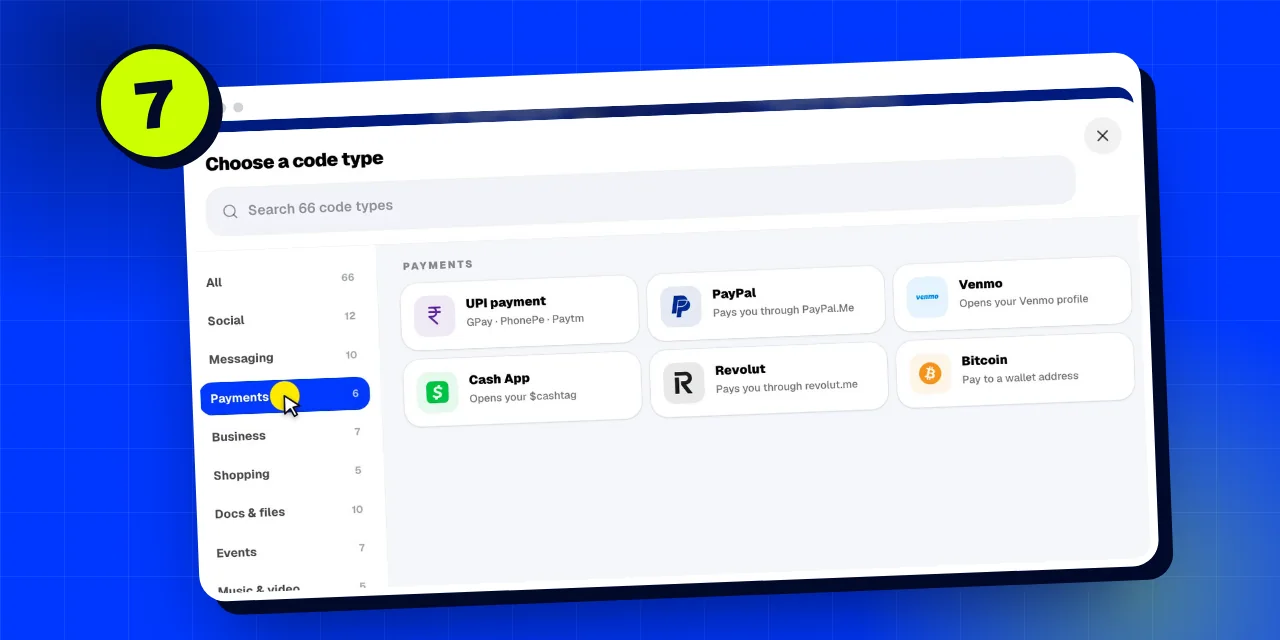
- Every code type, from Wi-Fi to paymentsA code can open a website, join Wi-Fi, save a contact, open WhatsApp, take a payment, show a PDF and over 60 more things. Pick the type under “What should it do?”, or click “All types” to browse them by group.
- Change where a code pointsOpen the code in your dashboard, type the new address under “Destination” and save. The printed code keeps working and starts opening the new address straight away. Every new address is safety checked first.
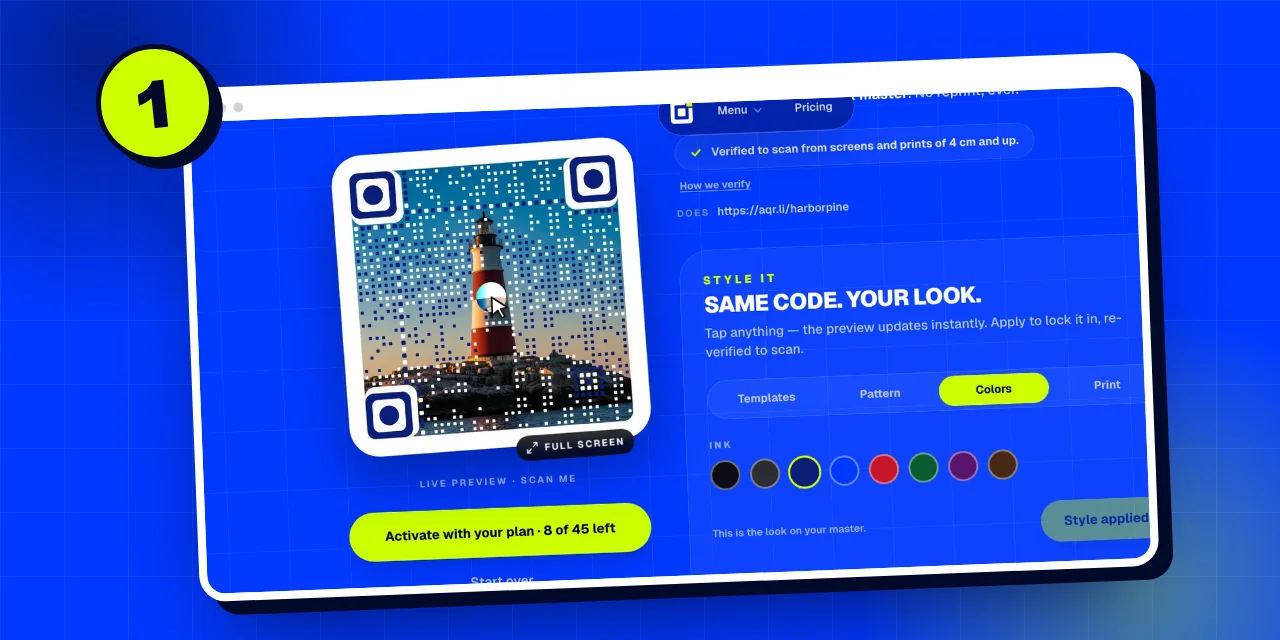
- Change a code’s lookUnder your code, “Style it” has four tabs: Templates restyle the whole code in one tap, Pattern changes the corner markers, eyes and dots, Colors picks the ink, and Print sets the size mode. Click Apply and the new look is verified again.
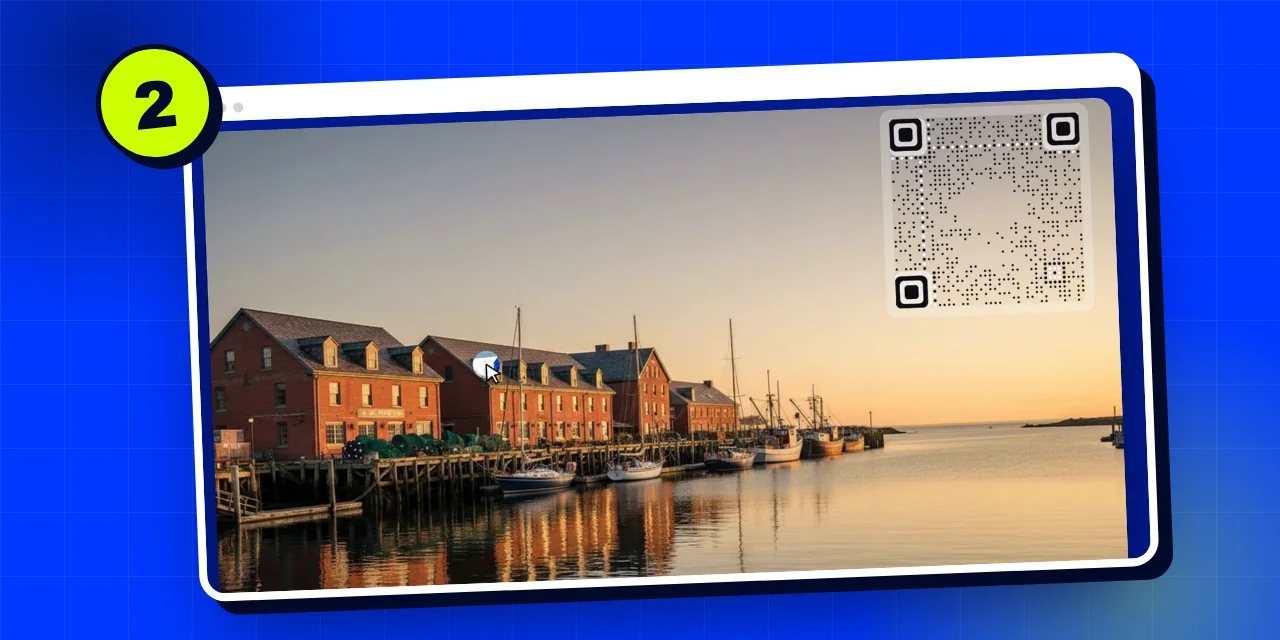
- Put a code inside your pictureChoose “Code in your image” after uploading a wide photo. Your whole picture stays as it is, and a scannable code is placed inside it: move it, resize it and pick a light border for print or no border for screens.
- Find or claim a codeMade a code before signing in? Paste its private analytics link under Settings → “Claim a code” and it joins your account. Lost the link? “Find my code” emails it to the address you used.
Scans and analytics5 articles
- How scans are countedA camera scan is a phone opening your code; a link open is someone tapping the short link in a chat or page. Both count. Link previews, bots, data centres and your own tests before activation don’t. No cookies, no stored IP addresses.
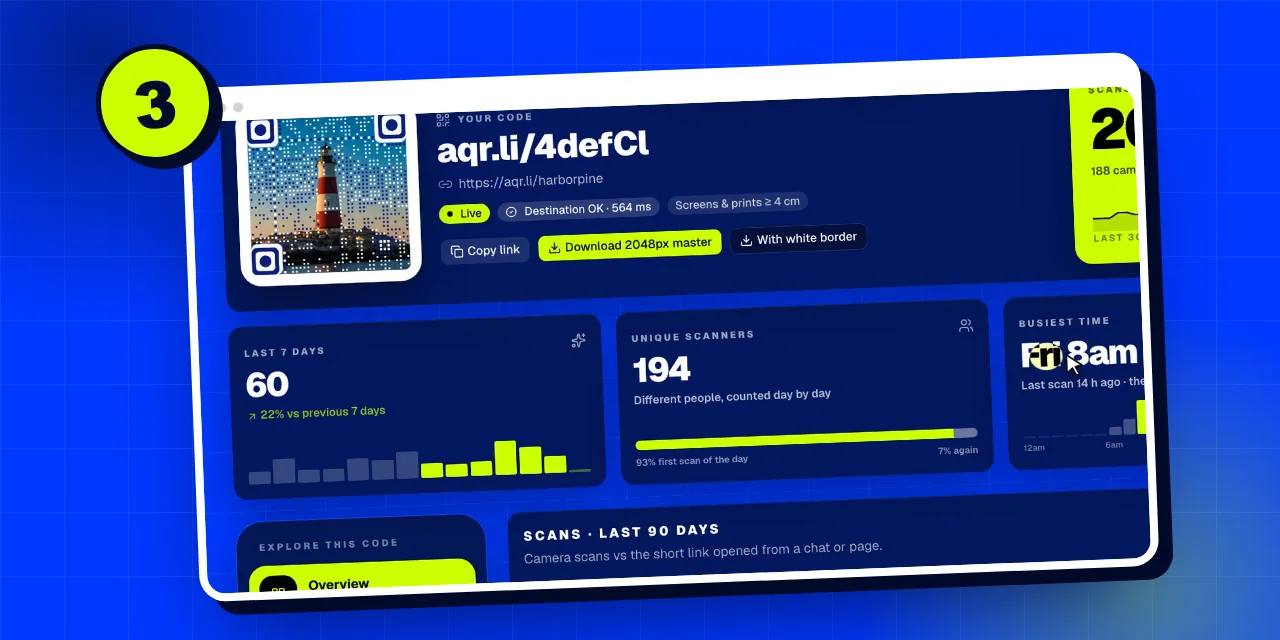
- Read a code’s full reportEvery live code has a full report: all-time scans, the last 7 days, unique scanners and your busiest time, a 90-day chart, when people scan, the latest scans, and tabs for Where, Devices, Placements, Style and Settings.
- Scan alerts and digestsIn a code’s report, Settings → Alerts can tell you about the first scan, a broken destination, and send a daily or weekly scan digest, by email or to a Slack, Discord or Zapier webhook.
- Test a code in two placesA spot is a copy of your code with its own short link, sharing the same picture, destination and activation. Print each in a different place and the report shows which one earns more scans.
- Share or export your analyticsDownload every scan as a CSV from the report, or create a read-only share link for a client or teammate. Keep your private analytics link to yourself: it can change the code.
Landing pages and leads7 articles
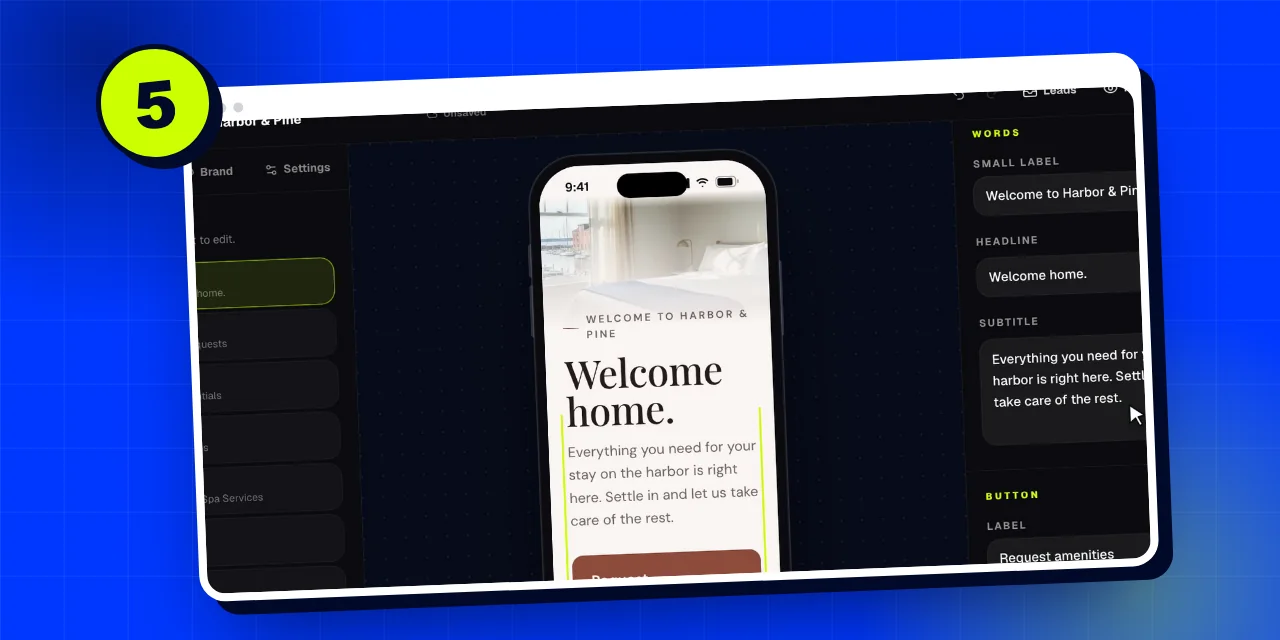
- Build a landing page with AIOpen Landing pages → New page, say what it’s for, choose “Describe it”, answer a few questions and click “Design my page”. In about half a minute the AI designs the layout, colours and words; you add photos, edit and publish.
- Landing page blocksA page is a stack of up to 40 blocks: hero, text, images, buttons, links, gallery, lists and menus, offers, countdowns, video, contact, social, FAQ, quotes, map, profile, opening hours, features and forms. Add them from “Add a block”.
- Forms and leadsAdd a Form block to collect names, emails, bookings or requests. Every reply lands in Leads, with an optional email for each one, a CSV export and (on Business) a webhook to your other tools. Leads are kept for 12 months.
- Scan business cards into a formTurn on “Let visitors scan a business card” in a Form block. Visitors photograph a card and the form fills itself in on their phone: nothing is uploaded or kept. For events, “My team scans other people’s cards” makes it a staff tool.
- Your page address and subdomainEvery page lives at aqr.li/your-name. On Business it can also have its own subdomain, your-name.aqr.li. Change the address in the editor’s Settings → Address; an old address keeps redirecting.
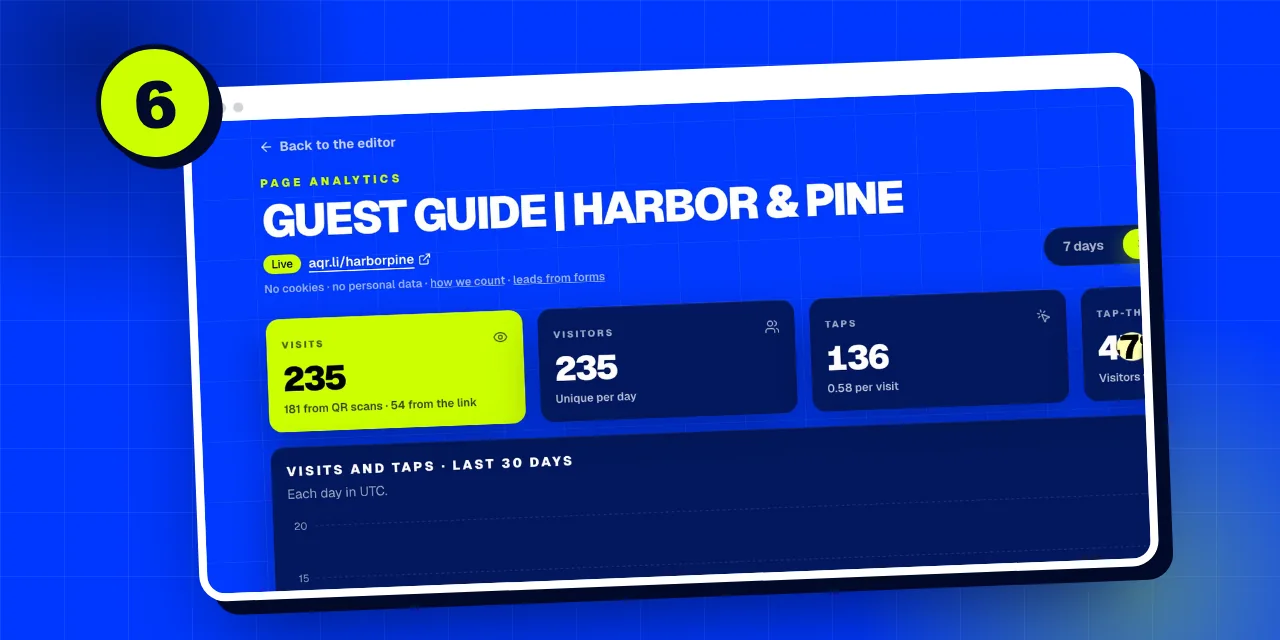
- Landing page analyticsEach page has its own analytics: visits, visitors, taps and tap-through; how visits go (time on page, scroll, quick exits, form starts); what people tap; how they arrive (QR code or link); countries, cities, devices and times.
- Retargeting pixelsOn Business, add a Meta Pixel ID and up to three Google tag IDs in the page’s Settings → Retargeting. They load only after a visitor agrees, and every scan sends a QRScan event so you can retarget people who scanned.
Domains4 articles
- What is a subdomain?A subdomain is a name in front of a domain, like menu.example.com. On AriaQR your page can have its own, harborpine.aqr.li, and on Business your codes can use a subdomain of your own website, like go.harborpine.com.
- Connect your own domainOn Business, open Settings → Your domain → “Connect one you own”, type a subdomain like go.yourbrand.com and add the one CNAME record we show to your DNS. We check it every 15 seconds; most go live within 5 to 30 minutes.
- Buy a domain for your codesUnder Settings → Your domain → “Buy a new short domain”, search a name, pay for one year, fill in your company details and we register it in your company’s name and connect it for you. No DNS, live in minutes.
- Verified domainsProve you own your website and every code that points to it shows “Verified domain” on its public check page. Signing in with a work email verifies that domain at once; otherwise use a meta tag, a file or a DNS record.
Teams and bulk3 articles
- Teams and shared workspacesOn Business, create a team in Dashboard → Team and invite people by email. Everyone sees every code made in the team, and codes activate on the owner’s plan. Switch workspaces from the menu at the top.
- Bulk upload: many codes at onceOn Business, Settings → Bulk upload turns up to 50 images into verified codes in one go: one destination for all, or a different link per file. Download them all as a zip. Each code uses one activation.
- GS1 product barcodes in bulkOn Business, Settings → Bulk product barcodes makes GS1 product codes from a sheet of GTINs: one line per code with the GTIN, an optional batch, where phones should go and an optional image.
API, MCP and webhooks4 articles
- API keysCreate a key in Dashboard → Developers → “New key”. It starts with aq_ and is shown once, so copy it straight away. Keys on the quarter plan can read; Business keys can also create and change. 60 requests a minute.
- The REST APIMake codes, read stats and change destinations from your own tools at https://ariaqr.com/api/v1, with your key as a Bearer token. JSON in and out. The full spec is at /openapi.json and the docs at /developers.
- Connect Claude or ChatGPT (MCP)Create a connector URL in Dashboard → Developers and add it to Claude or ChatGPT as a custom connector. Your assistant can then make codes, build and publish landing pages, and read stats and leads, right in the chat.
- Webhooks: send leads and alerts to your toolsA webhook is an address in another tool (Zapier, Make, Slack, Discord, Google Sheets, your CRM) that AriaQR sends a message to. Use one for every new lead from a page, and one for a code’s scan alerts.
Plans and billing5 articles
- Plans comparedPay once for a single code, take the quarter plan if you make codes regularly, or Business for teams, lead forms, your own domain, bulk and the full API. Prices for your country are on the pricing page.
- Pay for a single codeGenerate your code, click “Activate this code”, then pay with PayPal or a card (in India: UPI, cards or netbanking with Razorpay). No account needed. Have a promo code? Enter it on the payment card.
- Invoices and tax detailsEvery payment has an invoice in Dashboard → Billing → Receipts and invoices. Click “Edit details” to add your company, tax ID (GSTIN, VAT, EIN, ABN…), billing email and address, and they print on your invoices.
- Change, cancel or resume a planIn Dashboard → Billing, click “Cancel at quarter end” (or month or year end). The plan stays on until then, and “Resume my plan” undoes it. Monthly Business can switch to yearly with two months free.
- Free codes and promo codesThe free generator makes classic codes with an editable link and full analytics, free for a year and renewable with one click. Free accounts keep 10 live codes. Promo codes go on the payment card.
Account, privacy and trust4 articles
- Sign in and manage your accountSign in with Google or an emailed 6-digit code: there are no passwords. Your profile is in Settings. Delete account removes your codes, pages, links, analytics and keys for good.
- Privacy and your dataScans, short links and landing pages set no cookies and store no IP addresses. Locations come from the network at about city level, and visitors are recognised only within a day. Unactivated drafts are deleted after 7 days.
- How AriaQR keeps codes safeEvery link is checked against Google Safe Browsing when it’s made, when it changes and every day after. Every code has a public check page anyone can open, people can report a code, and brands can verify their domain.
- AriaQR for CanvaIn the Canva editor, open Apps and search “AriaQR”. Upload a photo or logo and it becomes a scan-tested code placed right in your design: a free fixed code, or a live code with analytics you activate on ariaqr.com.
Lingua: Italiano
Lingua
- English
- Español
- Português
- Français
- Deutsch
- Italiano
- Nederlands
- Polski
- Türkçe
- Русский
- Українська
- العربية
- فارسی
- עברית
- اردو
- हिन्दी
- বাংলা
- தமிழ்
- తెలుగు
- मराठी
- ગુજરાતી
- ಕನ್ನಡ
- മലയാളം
- Bahasa Indonesia
- Bahasa Melayu
- Tiếng Việt
- ไทย
- Filipino
- 日本語
- 한국어
- 简体中文
- 繁體中文
- Svenska
- Dansk
- Norsk
- Suomi
- Čeština
- Română
- Magyar
- Ελληνικά
- Slovenčina
- Slovenščina
- Hrvatski
- Srpski
- Български
- Lietuvių
- Latviešu
- Eesti
- Kiswahili