What activating a code means
Short answer
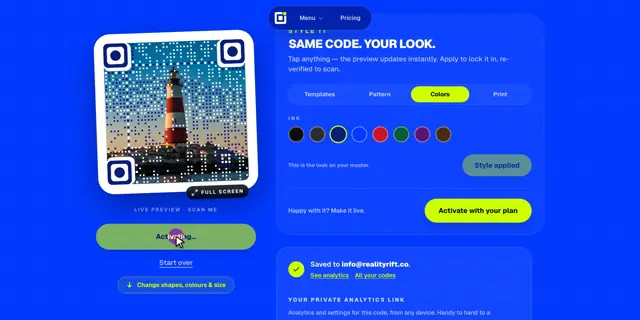
Activating turns a generated code live: its short link starts opening your destination, every scan is counted, and the 2048 px print file unlocks. You activate with a plan, or pay once for that one code.
Draft, then live
A code you generate is a draft. It already scans, so you can test it, but anyone who scans it lands on a “Not active yet” page instead of your link. Activating it makes that exact code live. Nothing about the picture changes, so you never need to reprint.
Activate with your plan
- 1Sign in, then generate your code.
- 2Click Activate with your plan. The button shows how many activations you have left, like “7 of 45 left”.
- 3The code goes live at once. No charge: it uses one activation.
The quarter plan includes 45 activations each quarter and Business includes 100 each month. Unused activations don’t roll over. In a team, codes use the team owner’s plan. If you have both plans, Business activations are used first.
Pay once for one code
No plan? Click Activate this code and pay for just that code, with PayPal or a card (or UPI and netbanking in India). You don’t need an account. The price is shown in your currency on the pricing page, and it is lower in many countries.
Tip · Someone who scans a draft sees a button to activate it. If the code is yours, you can pay right there from your phone.
How long a code stays live
- Activated codes keep opening their link for good, even if your plan ends later.
- When a plan lapses, editing the link, analytics, restyles and new activations pause until you renew.
- Drafts that are never activated are deleted after 7 days (30 days for codes made in the Canva app).
Does restyling an activated code use another activation?+
No. Restyling, re-downloading and changing the link are free once a code is live.
What are spots?+
Extra copies of one code for different places, sharing its activation. See placement tests.