Plans and billing
Change, cancel or resume a plan
1 min read·Updated October 27, 2026
Short answer
In Dashboard → Billing, click “Cancel at quarter end” (or month or year end). The plan stays on until then, and “Resume my plan” undoes it. Monthly Business can switch to yearly with two months free.
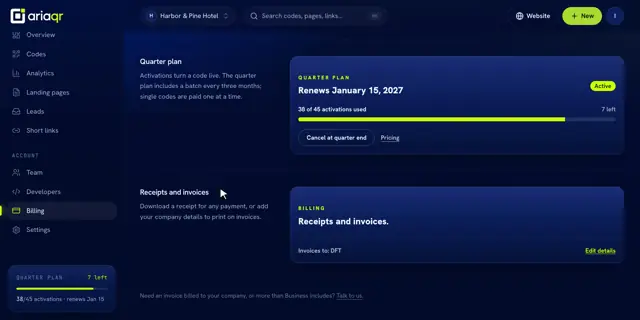
Cancel
- 1Open Billing and click Cancel at quarter end (or month end, year end).
- 2Confirm. The plan shows Ends with the date.
- 3Changed your mind? Click Resume my plan before it ends.
We remind you 7 days and 1 day before a plan ends. Your activated codes keep opening their links after it ends.
Switch to yearly
On monthly Business, Switch to yearly, 2 months free starts a year from the day you pay; the monthly plan then stops renewing.
Tip · Starting Business stops the quarter plan renewing, and its remaining activations stay usable until it ends.