Scans and analytics
Share or export your analytics
1 min read·Updated October 27, 2026
Short answer
Download every scan as a CSV from the report, or create a read-only share link for a client or teammate. Keep your private analytics link to yourself: it can change the code.
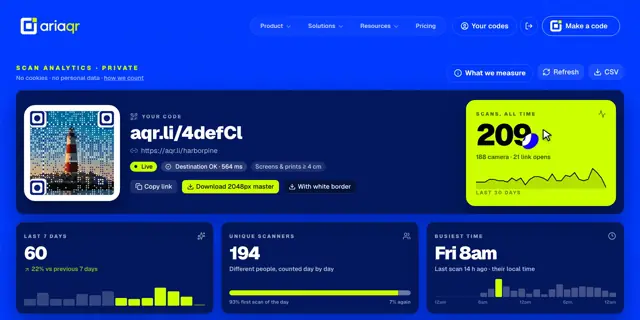
Export scans
Click CSV at the top of a code’s report to download every scan: time, kind, place, device, browser and language.
Share a read-only view
- 1In the report, open Settings.
- 2Under Share a read-only view, click Create share link.
- 3Send that link. It shows the numbers only, with no editing.
Good to know · The private link with k= in it is the only way to edit the code without signing in. Never post it publicly.
Turn off Show analytics for this code to hide the numbers everywhere. Scans are still counted, so nothing is lost if you turn it back on.