Teams and bulk
Bulk upload: many codes at once
1 min read·Updated October 27, 2026
Short answer
On Business, Settings → Bulk upload turns up to 50 images into verified codes in one go: one destination for all, or a different link per file. Download them all as a zip. Each code uses one activation.
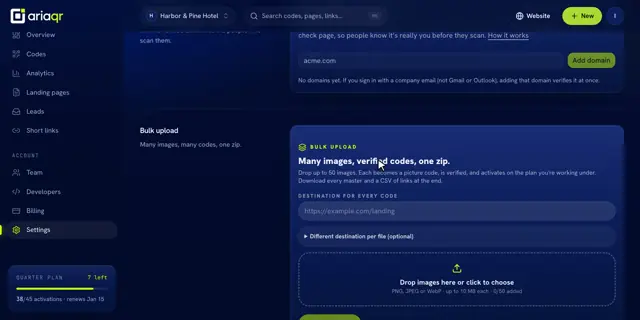
Make many codes
- 1Open Settings and scroll to Bulk upload.
- 2Type the Destination for every code, or open Different destination per file and write one line per file:
file name, link. - 3Drop up to 50 images (PNG, JPEG or WebP, up to 10 MB each).
- 4Click Make codes, then Download as zip.
Tip · Up to 120 codes every 10 minutes. Each code uses one activation from the plan you’re working under.