Scans and analytics
Scan alerts and digests
1 min read·Updated October 27, 2026
Short answer
In a code’s report, Settings → Alerts can tell you about the first scan, a broken destination, and send a daily or weekly scan digest, by email or to a Slack, Discord or Zapier webhook.
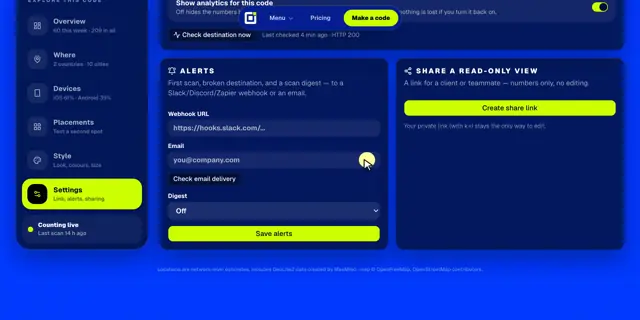
Set up alerts
- 1Open the code’s full report and click the Settings tab.
- 2Under Alerts, paste a Webhook URL (like
https://hooks.slack.com/…), type an Email, or both. - 3Pick a Digest: Off, Daily, or Weekly (Mondays).
- 4Click Save alerts. For email, confirm the address from the message we send.
What you’ll get
- First scan: “Someone just scanned it from Portland, US on iOS.”
- Broken destination: a daily check tells you if the page your code opens stops working.
- Digest: yesterday’s or this week’s scans, the change, the top city and the busiest hour. Skipped when there were no scans.
Tip · Webhooks are formatted for Slack and Discord automatically. See webhooks for the exact message.
Alerts need an active plan.