
QR codes for marketing work when each code has one job, one placement and one page behind it, and when the agency can show the client what it produced. This guide walks through the whole job for client work: planning, code type, print, tracking, reporting and the page after the scan. Each section gives a short answer and a link to the detailed post.
How do you run a QR code campaign for a client from start to finish?
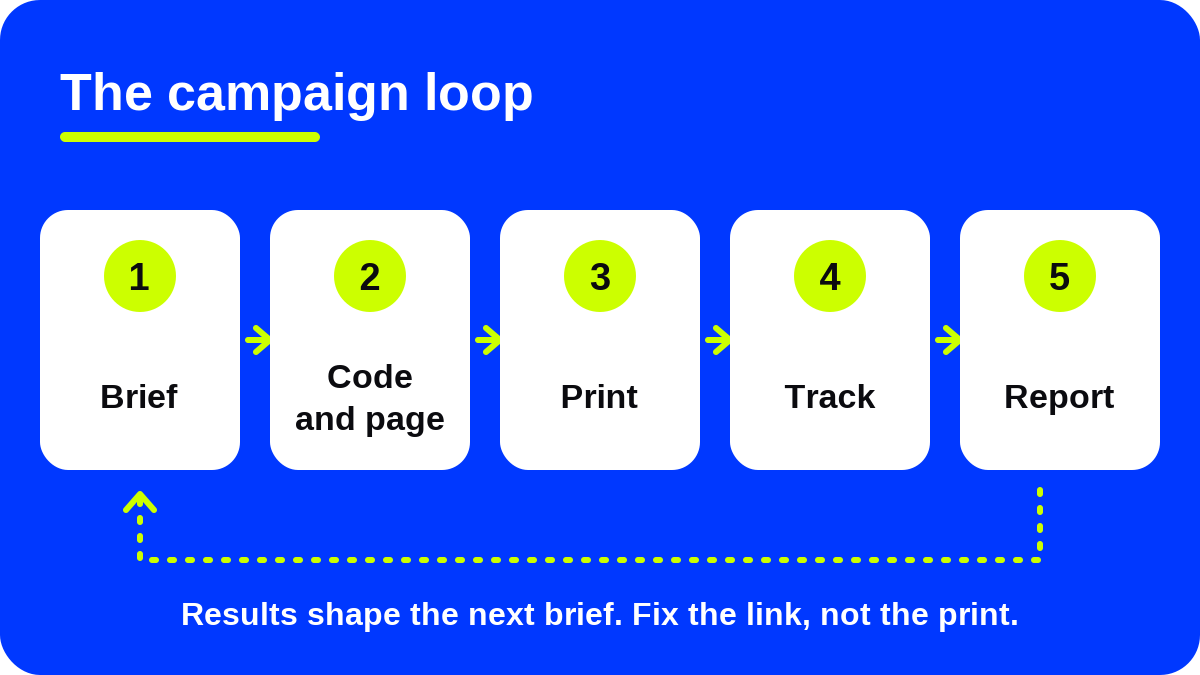
Treat it like any other channel: a brief, a build, a launch, a measurement window and a report. QR marketing rarely fails because of the code. It fails because nobody wrote down what the code was for.
Start with the brief. Write one sentence for each of these before anyone opens a design file:
- The action. What should a scanner do: book, buy, enter, watch, call, save?
- The surface. Where will the code live: a pack, a poster, a press ad, a shop window, a receipt?
- The distance. How far is the phone from the code when it scans? That decides the size.
- The page. What does the scanner see in the first second, on a phone, on mobile data?
- The number. What result will the client accept as a good one, and how will you count it?
Then build in this order: the page first, the code second, the layout third. Design the layout first and the code ends up squeezed into a corner.
A typical QR code marketing campaign has three to ten placements. Give every placement its own code from the start. A shared code tells you the campaign worked. A code per placement tells you which half of the media plan to renew. The post on placements and campaign tracking shows how to set that up so the comparison is fair.
The strongest QR code marketing ideas are plain: a pack code that opens a recipe, a window code that opens a booking page, a press-ad code that opens an offer made for that ad. A reason to scan beats novelty.
Should a campaign code be static or dynamic?
Dynamic, for almost every campaign. The only real exceptions are payloads that never change and need no tracking, such as Wi-Fi details.
A static code carries its destination inside the pattern. If the link has a typo, the page is retired or the client changes the offer, the only fix is to reprint. On a run of 50,000 packs, that is a write-off. A dynamic code carries a short link instead. You change where the link points whenever you like, and every printed copy follows. It also counts scans, which a static code cannot do.
This is the print-run risk in one line: a static code turns every later change into a reprint, and a dynamic code turns it into an edit. When an offer ends and packs are still on shelves, a dynamic code can point at a "this offer has ended, here is what is on now" page.
Our full comparison, with a worked print-run example, is in static vs dynamic QR codes. AriaQR codes are dynamic by default and encode a short link on aqr.li, so you can change the destination after printing. Wi-Fi and payment codes are the static kinds, because they must work offline in any scanner.
Agree in writing who owns the code and the account it lives in, so the client is not stranded when the relationship ends.
How do you track QR code scans and report them to a client?
Make a trackable QR code for each placement, read the same handful of numbers every week, and report them next to the client's own goal. Tracking is the reason a client agrees to run a code at all.
In the AriaQR dashboard each code reports total scans, unique visitors without cookies, scans per day, the hour-of-day pattern in the scanner's local time, device and operating system, country, region and city when the network allows, and whether the scan opened inside an in-app browser such as Instagram or WhatsApp. You can export every scan as a CSV and share a read-only link with a client or colleague. Keep the private analytics link to yourself, because it can change the code.
What goes in the weekly client report is a short list:
- Scans and unique visitors per placement, side by side.
- Where and when the scans came from, as a map or a daily chart.
- What happened after the scan: sign-ups, bookings, sales or leads, from the page or the client's own analytics.
- One thing you changed and why.
Alerts save time here. A first-scan alert tells you the print run reached the street. A broken-destination alert and the daily link-health check tell you before the client does that a page went down. Both are described in the help center under scan alerts.
If the client wants scan data in Google Analytics, tag the destination link with UTM parameters so each placement shows up as its own source. The detailed walk-through is in QR code tracking for client campaigns. For the basics of what a scan reveals, see how to track taps after a QR scan.
Where do QR codes work in advertising: print, outdoor and press?
Anywhere a person has a phone and a few seconds: press ads, magazine inserts, posters, transit shelters, shop windows, flyers, receipts and packaging. The wider topic of QR code advertising has its own guide, QR code advertising in print, outdoor and press, covering what to write next to the code and what to expect from each medium.
The rules that matter most are short:
- Size follows distance. One tenth of the scanning distance is the working rule. A poster read from 2 m needs a code about 20 cm wide. A code on a billboard seen from a moving car is a poor bet, and the post on QR codes on billboards and print ads explains where the line sits.
- Words beat the bare code. A code with no line beside it gets ignored. Write the benefit in four to six words, as in our guide to the QR code call to action.
- Press needs its own page. A newspaper reader who scans should land on a page that names the paper or the ad, not a general home page. It also lets you count that placement alone.
- Flyers are the cheapest test. If you are unsure about a concept, run it on QR codes on flyers first, with one code per drop location.
Whatever the medium, run the checks in the QR code print checklist before the file goes to the printer. Print one proof at real size, on the real stock, and scan it with two phones in the light where it will hang.
How do you use QR codes in store and on pack?
Use them to turn a purchase or a visit into a data point: a competition entry, a registration, a review, a reorder, a recipe. These are the placements where the client can see the code in the customer's hand.
On-pack codes have a long life and a high reprint cost, so a dynamic code matters most here: packs sit in warehouses and kitchens for months after a campaign ends. In-store codes live on shelf-talkers, window decals, till points and table tents.
Competitions are the classic use. A code on the pack opens an entry page, the entry page collects the details and the terms, and the dashboard shows entries by day and by store. The page must show the rules and the closing date, and the code needs a plan for when the competition ends. Our post on QR code competitions on pack and in store covers the setup, the legal basics to raise with the client's lawyer and the common mistakes.
For lead capture at events or in stores, AriaQR landing pages can include a form block, with leads collected in the dashboard and sent on to a webhook if you want them in the client's CRM. Pages that collect personal data need the client's privacy wording and, in some markets, consent. Raise that at the brief stage, not the week before launch.
What can an agency do with its own domain, teams and branded reports?
Some of it today, and the rest through exports and the API. Here is what we can say from the product's own help articles, and what we cannot.
| Agency need | What AriaQR offers |
|---|---|
| Client sees the agency's or the client's address, not ours | Your own short domain, such as go.clientbrand.com, on the Business plan. Codes and landing pages can run on it. Without it, codes use the short aqr.li address. |
| Several people work on the same client | Teams on the Business plan: invite people by email, everyone sees every code in the workspace, and codes use the owner's plan. |
| Many codes at once | Bulk upload on the Business plan, up to 50 images at a time, and the REST API and MCP server for larger batches. |
| A client who wants to look, not edit | A read-only share link for a code's analytics. |
| A report for the client with your logo | Reports, on the Business plan: a PDF for each client project, to download, email or schedule weekly or monthly. It carries a small "Made with AriaQR" line. |
| A report in the agency's own format | CSV export of every scan, or the API to pull numbers into your own reporting tool. |
What we do not claim: a client-facing dashboard with the agency's logo is not available today. Most agencies never show the dashboard to a client anyway. They send the PDF report, or their own report built from the CSV or the API numbers. The code carries no AriaQR mark, so the client sees their artwork and the agency's report.
If you resell or white-label for several clients, read what a white-label QR code platform has to do and the agency-specific roundup in the best QR code generator for agencies. Check pricing for the Business plan on the pricing page.
How do you measure the ROI of a QR code campaign?
Count what the scan led to, not the scan itself. A scan is the top of a short funnel: scans, then page visits that stayed, then actions, then value. Only the last two belong in an ROI figure.
A simple model, clearly an example with made-up numbers: 1,000 unique scans, one in ten of them ending in a booking, gives 100 bookings. Multiply by what a booking is worth to the client, subtract what the placements cost, and you have a result. The shape matters more than the figures: cost, scans, conversion, value, and a method you can repeat with real numbers.
In AriaQR, placements can carry what each spot cost to print and how many people see it, and the report then shows cost per scan and scan rate by spot. That tells you which placements to repeat and which to drop. The full method is in how to measure QR code campaign ROI.
Quote no industry average you cannot source. A campaign's own numbers, with a clear method, convince more than a borrowed benchmark.
Why do brands use picture codes instead of plain black-and-white ones?
Because a plain code looks like a barcode, and the surface it sits on is usually a designed one. A code built from the brand's own artwork looks like part of the layout and earns more attention, so it gets scanned more often. The case is laid out in why brands ditch plain QR codes.
AriaQR makes the client's own image into a code: the picture stays the picture and the code lives in it. There are two builds. Standard is made for screens and prints of 4 cm and up. Small print is verified down to about 1.5 cm, for cards, labels and stickers. Every code is verified on real decoders under real-world conditions before you download it, and the site tells you plainly if a code "scans up close only", so you can change the artwork rather than find out on press day.
For a poster or a magazine page, "Code in your image" places the code inside a larger artwork and returns the whole piece. Here is a real code made from a famous painting, to show the idea:
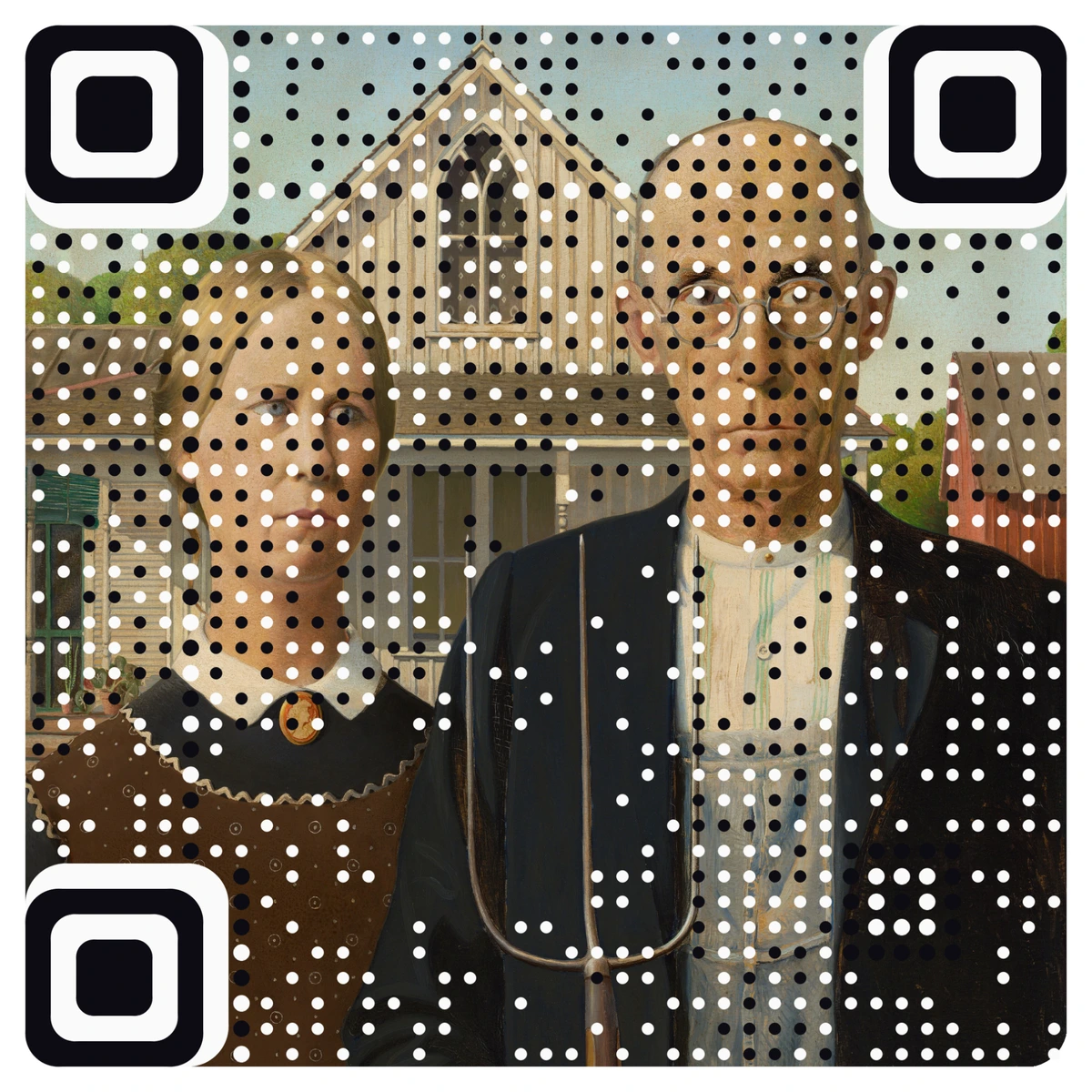
Eye shapes, dot shapes and colors can be changed after generation without touching the link or the analytics, which helps when a client changes the palette after the first proof.
A brand code still needs the basics: strong contrast, a clear border and a proof on the real material. Art does not replace a test.
What should the page after the scan look like?
A single-purpose page made for a phone, loading in a second or two, that delivers the exact thing the line beside the code promised. The most common reason a campaign code underperforms is a destination that does not match the invitation, such as a general home page, a desktop layout or a large PDF.
Test the page on mobile data, inside the Instagram and WhatsApp browsers, and on both iPhone and Android. Put the action above the fold. Ask for as little as possible: a name and an email is a lot on a small screen. The post on mobile landing pages for QR code scans gives the structure, and 12 QR code landing page examples shows real templates by use case.
AriaQR can also build a landing page for a code. On the Business plan the page can carry a form for leads, and the code or page can carry Meta and Google tags for retargeting people who scanned. Both load only after a visitor agrees. Your own domain can serve the pages as well.
Which QR code generator should an agency use?
The one that fits how you work. Ask six questions: Can I make a code per placement? Can I change the destination after printing? What does it report, and can I export it? Can several people share the account? Does the client's brand or ours show on the redirect? Does the code scan on real phones in real light?
We compare tools on those questions in the best QR code generator for agencies, and we say where competitors win. Some offer client portals or reseller programs that we do not. Check each vendor's current pricing and plan details, since they change.
If you want to try AriaQR on a real client file, the QR code generator makes a verified code from any image and lets you buy a single code with no account, or sign in to keep your codes in one place.
Pre-launch checklist for a client campaign
Use this table before sign-off. Every row is something that has gone wrong on a real campaign somewhere.
| Check | What to confirm | Who signs off |
|---|---|---|
| Purpose | One action, written down and agreed | Account lead and client |
| Code type | Dynamic for any link; static only for Wi-Fi and payments | Agency |
| One code per placement | Every poster, pack or ad has its own code and a clear name | Agency |
| Size and distance | About one tenth of the scanning distance | Designer |
| Contrast and border | Dark on light, clear space around the code | Designer |
| Proof | Printed at real size on real stock, scanned on an iPhone and an Android phone in the real light | Production |
| Landing page | Fast on mobile data, matches the call to action, works inside Instagram and WhatsApp | Developer |
| Call to action | A short line beside the code that names the benefit | Copywriter |
| Privacy and terms | Privacy wording, competition rules and consent where forms collect data | Client and legal |
| Tracking | Alerts on, UTM tags set if used, CSV or share link ready | Analyst |
| Report plan | Weekly figures, one agreed success number, end-of-campaign page ready | Account lead |
| Handover | Who owns the codes and account after the campaign | Account lead and client |
A five-minute review before the press run is cheaper than any reprint. The longer print-side version is the QR code print checklist.
Where to start
Pick one live client brief and run the loop on it: write the action, build the page, make one dynamic code per placement, print a proof, scan it on two phones, then set the alerts and send the first weekly numbers. Read the tracking guide next if reporting is where you want to improve, or the print and outdoor guide if the media plan comes first.