
What QR code call to action actually gets people to scan? One line that tells them exactly what they get. A good one is specific, starts with a verb and names a benefit, and it often does more for your scans than the code itself.
Below are the rules that make a line work, then ready-to-use examples for menus, posters, packaging, events and real estate.
Why the QR code call to action matters
A QR code on its own is a closed door. People cannot see what is behind it, so they guess, and many guess "probably not worth it". The line underneath is your one chance to open the door.
It also sets an expectation. When the line says "Scan for the wine list" and the wine list opens, people trust your next code. If you are seeing a code that works but gets ignored, the line is the first thing to check, as we explain in why a working QR code goes unused.
What makes a good call-to-action line
Here is the same code with two different lines. Nothing else changed.
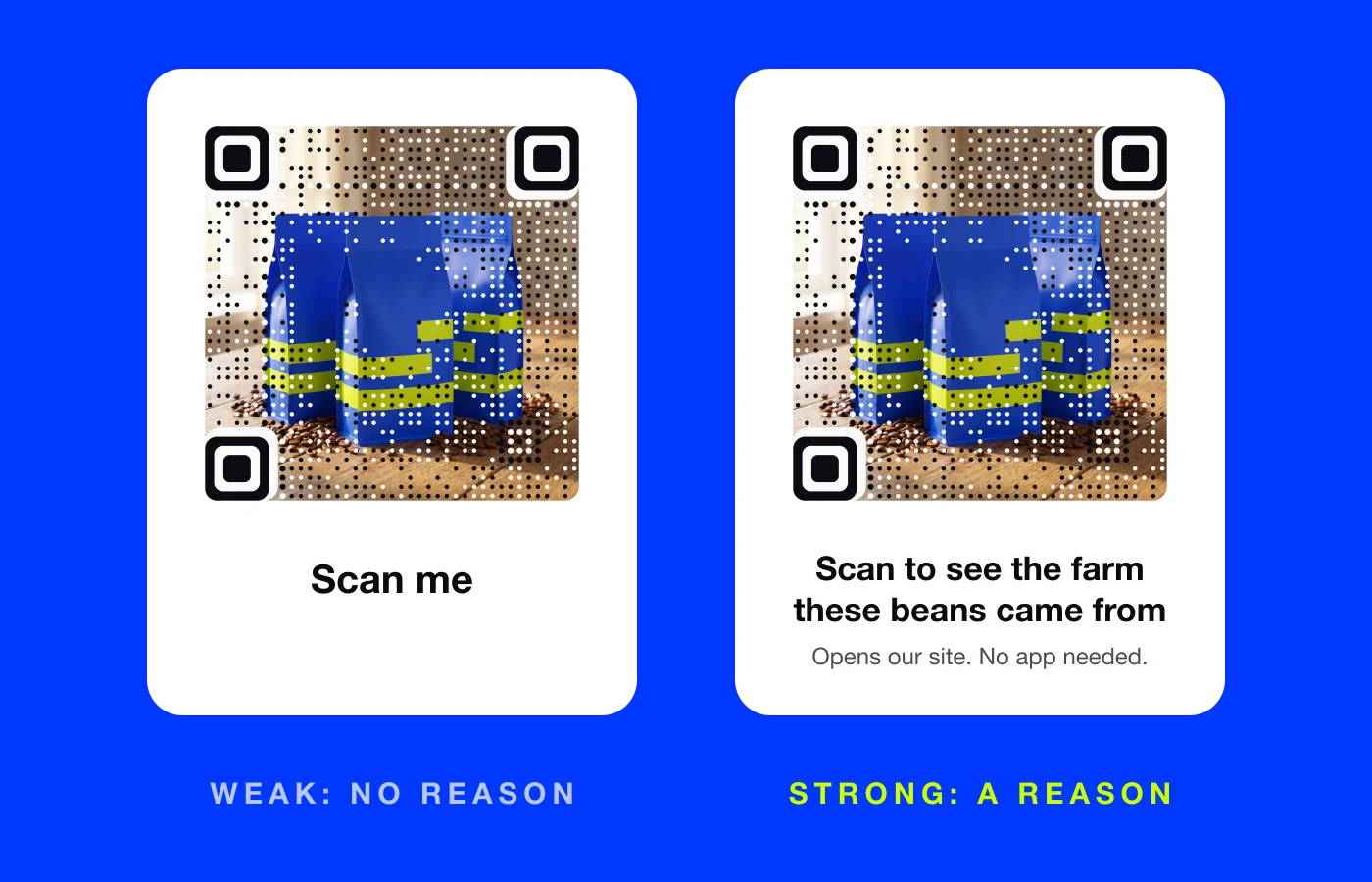
The weak card says what to do. The strong card says why. Five rules sit behind lines like that:
- Start with a verb. "Scan to...", "Watch...", "Book...", "Get...".
- Name a specific benefit. "See today's specials" beats "Learn more".
- Keep it under ten words. It has to be read in a glance, often from a few steps away.
- Add reassurance when it helps. "No app needed", "Opens our website", "Takes 30 seconds".
- Match the page. The page that opens must deliver exactly what the line promised.
Call-to-action lines for restaurant menus and tables
Guests want speed and certainty. Lead with what is easier than asking.
- Scan to see today's specials, with photos
- Scan to order from your seat
- Scan to pay the check when you're ready
- Scan for the full wine list and tasting notes
- Scan for allergens and dietary info
- Scan to leave a quick review
If your table codes still get skipped, placement and the page behind them matter too. See why nobody scans the QR code on your menu.
Lines for posters, flyers and shop windows
People pass posters on the move, so the line has to land in a second and promise something worth stopping for.
- Scan to save your seat
- Scan for tickets before they're gone
- Scan to see the full lineup
- Scan to get the offer on your phone
- Scan to watch the 30-second trailer
- Shop the window: scan for sizes and prices
For a shop window after closing time, try "Closed now? Scan to shop online tonight."
Lines for product packaging
On packaging, the code competes with the product. The best lines add something the box cannot hold.
- Scan to see the farm these beans came from
- Scan for the 2-minute setup video
- Scan for recipes made with this
- Scan to register your warranty
- Scan to reorder in one tap
- Scan to see what's inside each ingredient
Lines for events, conferences and trade shows
At events, people scan to save time or to avoid losing something.
- Scan for the schedule and room map
- Scan to save the speaker's slides
- Scan to book a demo at our booth
- Scan to add this to your calendar
- Scan to get the photos from tonight
- Scan to join the guest Wi-Fi
Lines for real estate signs and flyers
Buyers want to see more without calling yet. Give them that first.
- Scan for a video tour of this home
- Scan for the floor plan and photos
- Scan to book a viewing
- Scan for the price and details
- Scan to see similar homes nearby
A picture code made from the listing photo carries the line even further, because the home is right there in the code.
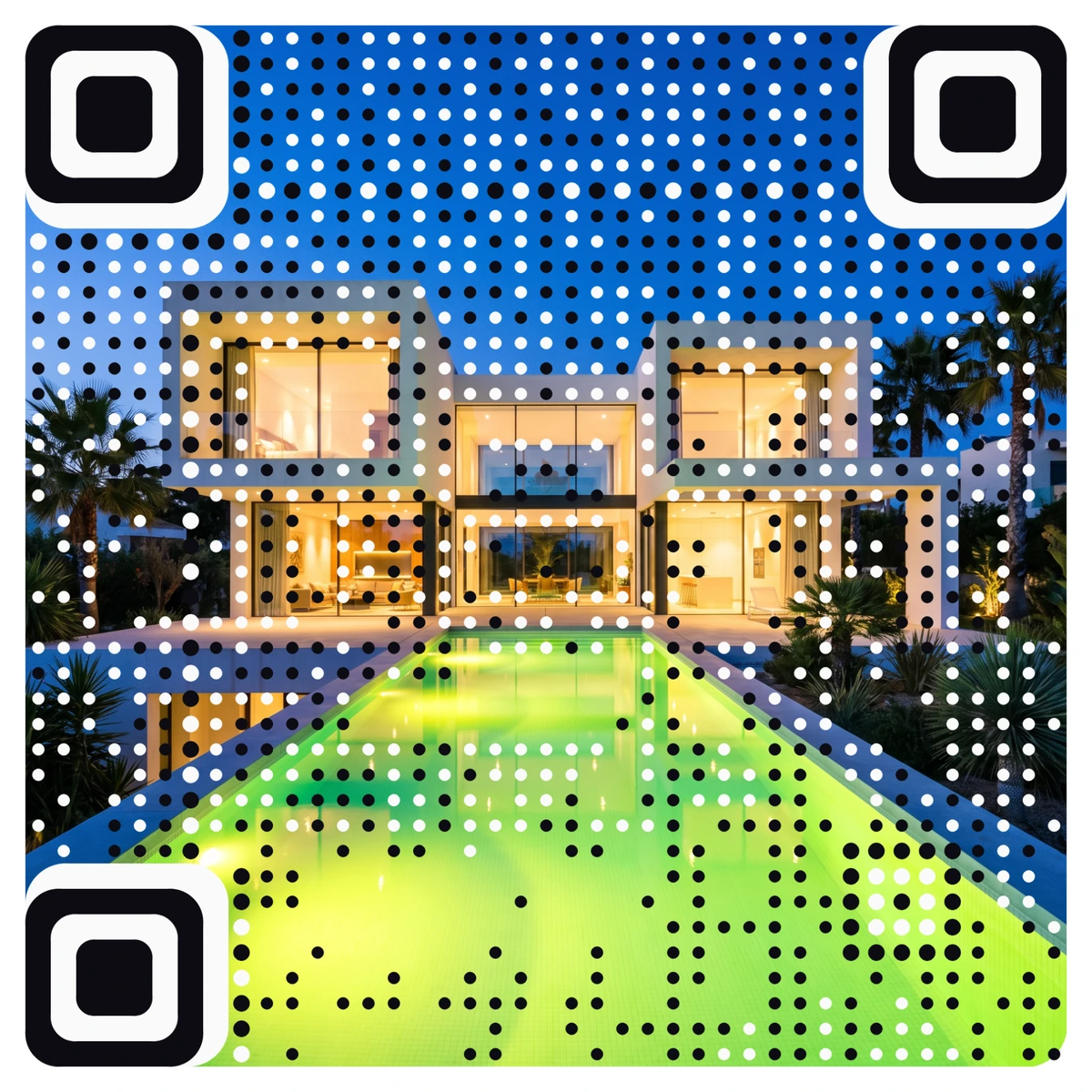
That is a real AriaQR code. Every AriaQR code is verified on real decoders under real-world conditions before you can download it, so the design never costs you scans.
Lines to avoid
- "Scan me" on its own. It names the action, not the reason.
- "Learn more." More about what?
- "Visit our website." People assume it is your homepage, and they are usually right.
- Lines that over-promise. If "Scan to win" opens a sign-up form with fine print, people feel tricked.
- Clever puns that make people work out what the code does.
Make sure the page keeps the promise
A great line followed by a slow or generic page wastes the scan. Send each code to a page built for that line: the specials, the tour, the setup video. If you do not have one, AriaQR landing pages let you publish a mobile page for a menu, an event or a listing and point your code at it. With a dynamic code you can test two lines on two batches of print and compare scans in the dashboard.
Where to start
Find every code you have in print and read the line underneath out loud. If it is "Scan me", "Learn more" or nothing at all, rewrite it with a verb and a specific benefit from the lists above. Change the line on your busiest code first, then watch scans for a week.