Are QR codes on flyers worth it? Yes, because they fix the one thing print never could do: tell you whether it worked. With one code per batch or location, every flyer becomes a small experiment, and at the end you know which stack earned its paper.
Flyers never really went away. Gyms, clinics, restaurants, real estate agents and event promoters still print them, because a piece of paper in a hand gets noticed. What went away was the confidence that the money was well spent. QR codes bring that back.
Why flyers lost their reputation
The old problem with print was not that people ignored it. It was that nobody could tell who noticed it.
You printed a thousand flyers, handed out half at the train station and left half at a café, and then waited. If the phone rang more that month, the flyers might have worked. Or the weather was better. Or a review went up. There was no way to know which half did the work, so next time you printed both again.
Online ads, by comparison, report every click. That gap is why print budgets shrank.
How do QR codes make flyers measurable again?
A dynamic QR code is a short link printed as a code. Every scan passes through that link and gets counted, with the time, the device and a rough location. Put that code on a flyer and the flyer can report back.
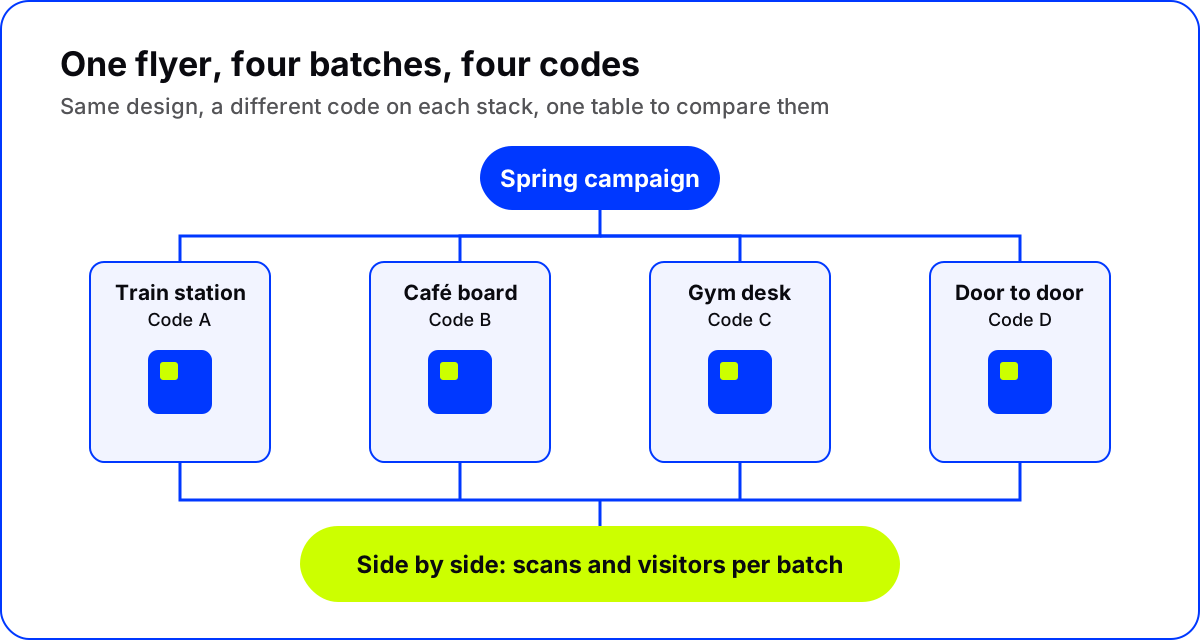
The trick is to stop thinking of "the flyer" as one thing. Think of it as several batches, each with its own code.
One code per batch: placements
In AriaQR, several codes that belong to one campaign are called placements. You make the first code, then add placements and name each one for where it goes: "Train station, Monday", "Café board", "Gym front desk", "Door to door, Elm Street".
Each placement is its own code with its own short link, usually with the same artwork, so all the flyers look the same. The dashboard lists them side by side with scans and unique visitors for each. Placements come with the plans; with a single code bought on its own, you simply make one code per batch.
Our guide to placements and campaign tracking walks through the setup step by step.
What to compare
Once each batch has its own code, the useful questions answer themselves:
- Which location? The café board against the gym desk against the station.
- Which day or time? A Monday hand-out against a Saturday one.
- Which design? Two versions of the same flyer, each with its own code, handed out side by side.
- Which offer? "Free first class" against "Bring a friend free", same streets, same week.
Change only one thing at a time. If two batches differ in both location and design, you will not know which change made the difference.
What a scan cannot tell you
Be honest about the limits. A scan is interest, not a sale. Some people will read the flyer, keep it, and visit without scanning. Others will scan out of curiosity and never come.
So pair scans with something you can count at the end:
- A discount code printed on each batch's page, redeemed at the counter.
- Bookings made from the page.
- Sign-ups through a form on the page.
Location data is approximate, too: it comes from the network and is city-level at best. It will not tell two flyers on the same street apart. That is exactly why each batch needs its own code. The QR code analytics explained guide covers what each number can and cannot tell you.
How to design QR codes on flyers that people scan
Tracking only helps if people scan. A few things make the difference:
- Say what the scan gives. "Scan for your free first class" beats "Scan me".
- Place the code near the offer, in the lower part of the flyer where the eye ends up.
- Print it large enough to scan from a comfortable distance, with a clear margin around it.
- Make it look like your brand. A code that matches the flyer looks intentional, not like a sticker someone added at the end.
Here is a real AriaQR code made from a product shot. On a flyer, the code becomes part of the artwork instead of a gray box in the corner:
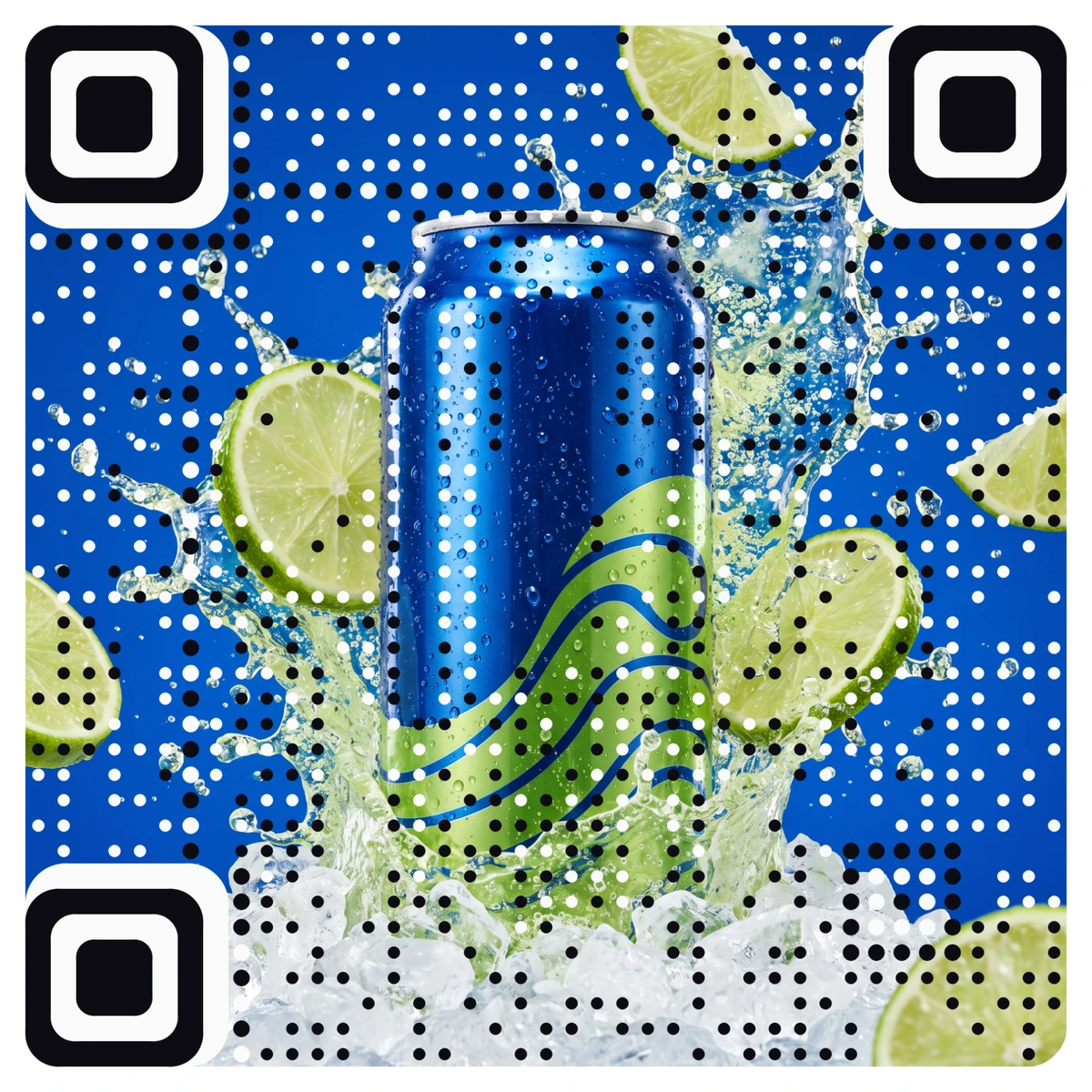
With AriaQR, every code is verified on real decoders under real-world conditions before you download it, and the print file is large enough for any flyer size. You can see more styles in the AriaQR gallery.
Point the code at a page, not a home page
The scan should open a page made for that flyer: the same offer, the same headline, one button. Sending people to your home page makes them hunt for the thing the flyer promised, and many give up.
Because the code is dynamic, you can update that page after printing: fix a typo, extend an offer, or swap a sold-out item. The flyers already in mailboxes keep working.
Where to start
Plan your next flyer run as three or four batches instead of one. Give each its own code, name each for where it goes, and add a redeemable code on the page. After two weeks, compare the batches and print more of the winner.