Could a QR code print checklist have saved the last batch of flyers, menus or posters that went in the bin because the code did not work? Almost always, yes: the usual causes are things a five-minute check catches. Here are the ten things to confirm before you send a file to the printer.
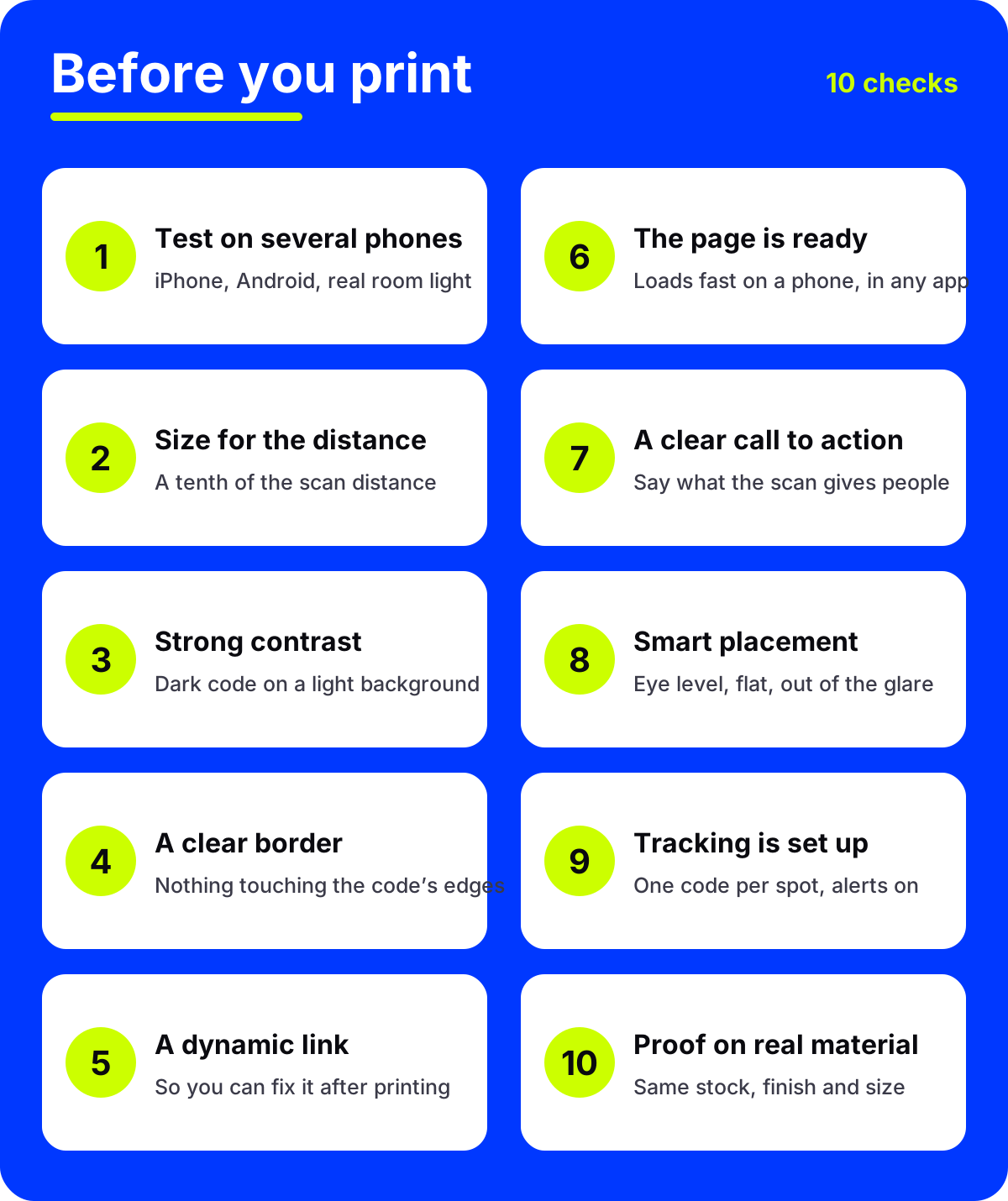
The 10-point QR code print checklist
1. Test the scan on several phones
One phone is not a test. Scan the code with at least one iPhone and one Android phone, and an older phone if you have one. Do it in the light where the code will be seen: a dim restaurant, a sunny window, a train platform at night. Check that the right page opens, not only that the camera reacts.
2. Size it for the scanning distance
The rule of thumb is one tenth of the distance. A table tent read from 30 cm can be 3 cm wide; a poster read from 2 m needs about 20 cm. On a business card or label, about 2 cm is the practical floor for most codes. Our guides to small print QR codes and to QR codes on billboards and print ads cover both ends of the scale.
3. Keep the contrast strong
Dark code on a light background is the safe choice. Brand colors are fine if the dark parts stay clearly darker than the light parts. Light codes on dark backgrounds, pale grays and colors that are close in brightness, such as red on green, are the usual failures.
4. Leave a clear border
A code needs empty space around it. Keep text, photos, folds and the trimmed edge of the paper away from it. If your design runs right up to the code, it can confuse the scanner even when everything else is right.
What has to be ready behind the code?
5. Use a dynamic link
A static code bakes its link into the pattern. If the page moves or the link has a typo, the print run is wasted. A dynamic code points at a short link you can change at any time, so you fix the destination and every printed copy follows. It is the single most useful choice on this list.
6. Make sure the landing page is ready
Open the page on your own phone, on mobile data, before printing. It should load fast, read well on a small screen, and work inside Instagram and WhatsApp browsers, where many scans open. A desktop page or a large PDF is a poor first impression.
7. Add a clear call to action
A code with no words next to it gets ignored. Tell people what they get: "Scan for tonight's menu", "Scan to book a viewing", "Scan to see the full collection". Short, specific and next to the code.
8. Plan the placement
Put codes where people stop, at eye level, on a flat surface. Avoid curved bottles, high shelves, the back of a door and anywhere that catches glare from a window or a lamp. Gloss lamination can reflect light straight into the camera, so test it under the real lights.
How will you know it worked?
9. Set up tracking before the print run
Decide now how you will measure the result. If the same design goes in several places, make one code per spot. With AriaQR placements, available on subscription plans, each poster or table has its own code inside one campaign and the dashboard compares them side by side. Turn on the first-scan alert so you know the moment the first printed copy is scanned, and the daily link-health check so you hear if the destination ever breaks.
10. Proof on the actual material
A code that scans on screen can fail on uncoated card, textured paper, fabric, vinyl or foil. Ask the printer for a proof on the real stock, at the real size and with the real finish, and scan that proof before you approve the run. It is the cheapest insurance in print.
Does a picture code change the checklist?
No. A picture QR code follows the same ten points, with one difference: the picture is part of the code, so the whole image needs the same care with size, border and contrast. This is a real, scannable code built from a famous painting:
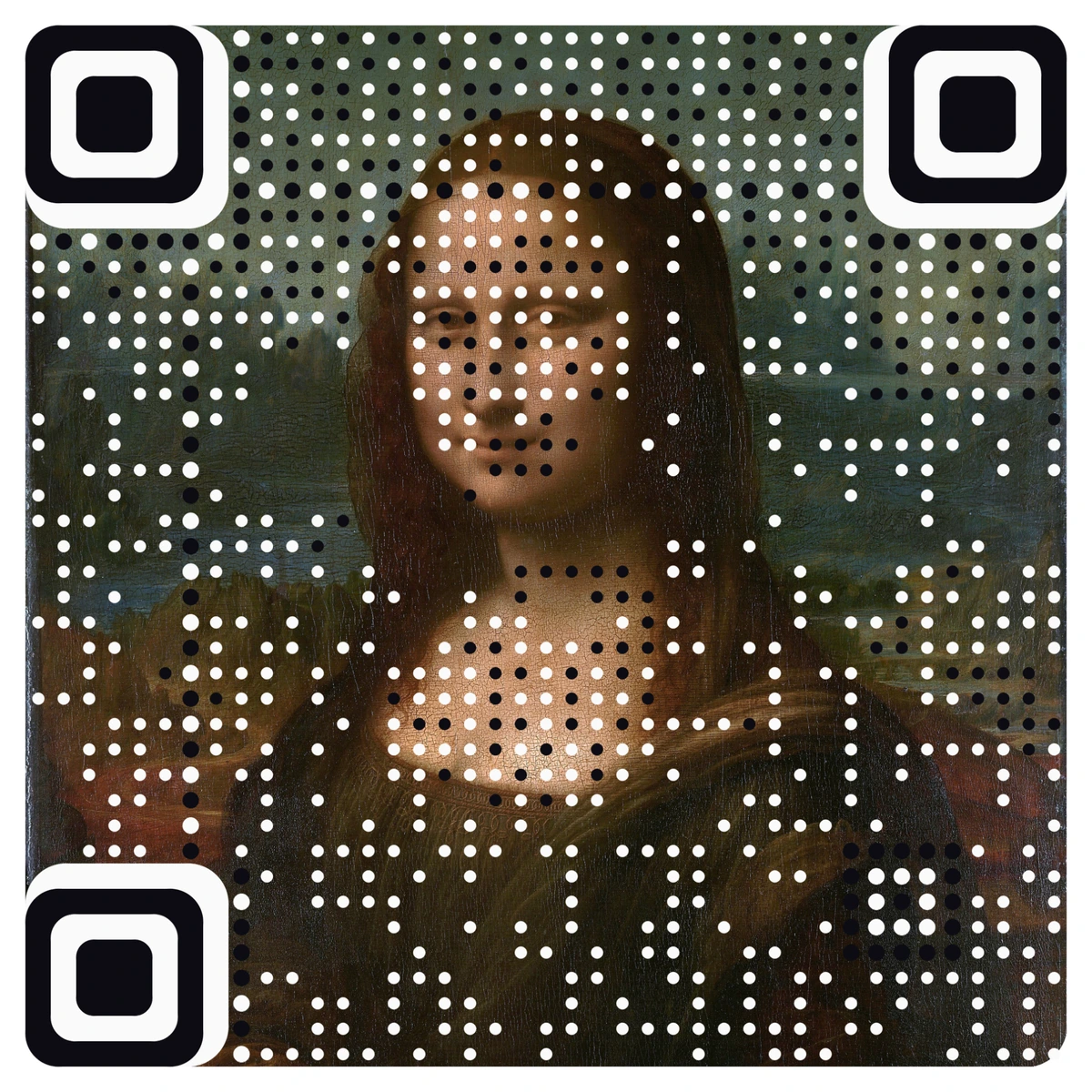
Every AriaQR code is verified on real decoders under real-world conditions before download. The Standard build is made for screens and prints of 4 cm and up; the Small print build is verified down to about 1.5 cm, for cards, labels and stickers.
For quick checks without printing anything, our free QR code tools include a size calculator, a contrast checker and a tester that reads an uploaded image.
Where to start
Print one copy of your design today at real size, on the paper you plan to use. Scan it with two phones in the place it will hang, open the page on mobile data, and read the call to action out loud. If all of that passes, send the file.