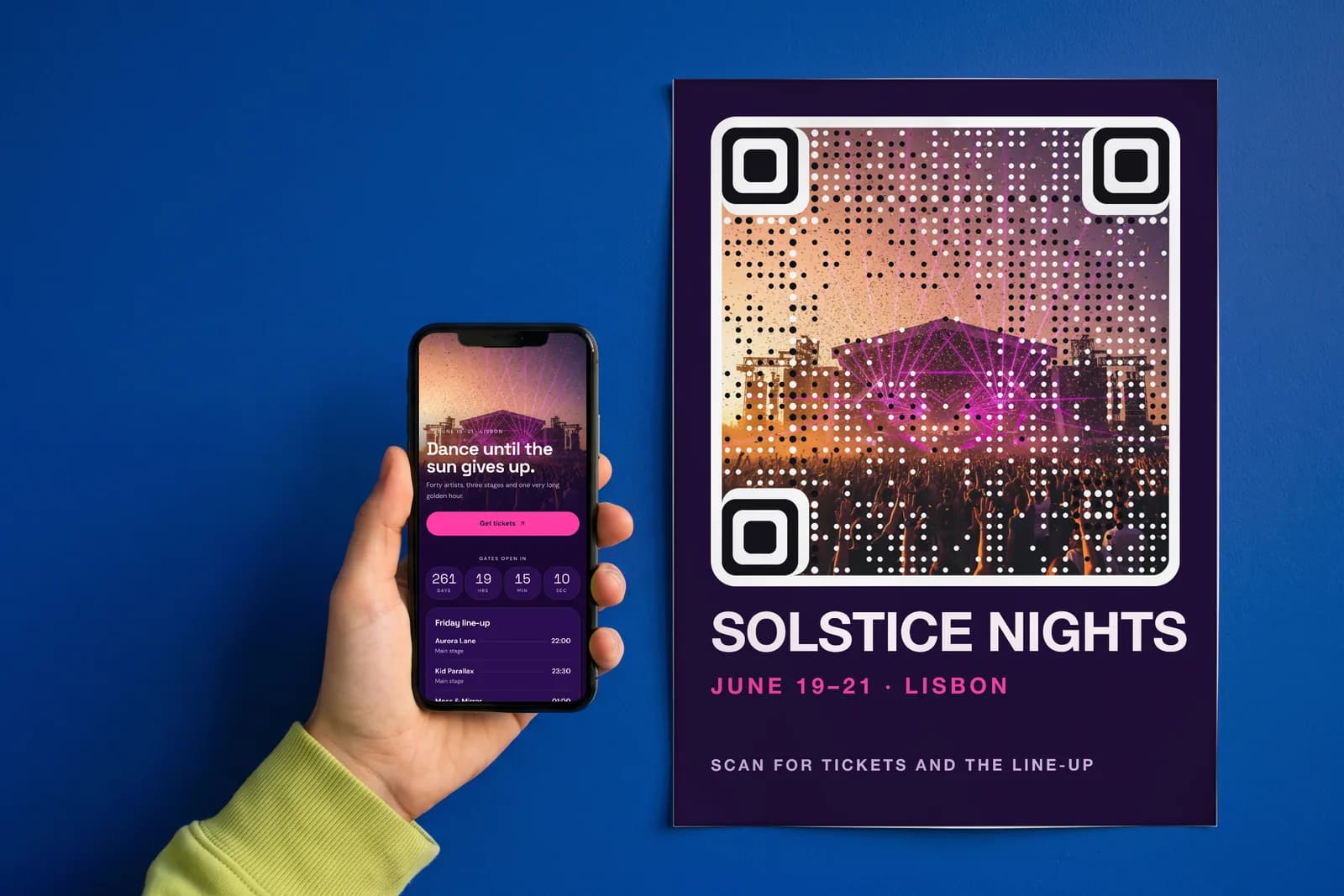
A QR code should link to a mobile page made for the exact spot it is printed on, with the thing that person came for on the first screen and one button to act on it. Not your homepage, not a PDF, not an Instagram grid. This guide covers where to link a QR code for each common placement, when a homepage is actually fine, and how to change the destination after printing.
Why is a homepage the wrong QR code destination?
Picture the person scanning. They are standing at a table, a shelf, a poster or a front desk, phone in one hand, often something else in the other. They have a few seconds and a narrow question: what is on the menu, how do I use this, when is the show, how do I save this number.
A homepage answers a different question. It was built for someone who typed your name into a search bar and wants the whole story. On a phone, that means a hero banner, a navigation menu to open, a cookie banner to dismiss and a long scroll to find the one link that matters. Each step loses people.
Other common destinations fail too:
- A PDF menu opens as a tiny page to pinch and zoom, often in a viewer that hides the back button.
- An Instagram profile shows a grid of photos and asks the visitor to find the latest post, or to log in.
- A generic links page lists eight buttons with equal weight, so the visitor has to decide instead of act.
The fix is the same in every case. Match the page to the placement, put the answer on the first screen and give it one obvious button.
What should a QR code link to for each placement?
The printed surface tells you what the scanner wants.
| Printed on | Should open | The one button |
|---|---|---|
| Restaurant table tent | Menu with prices and today's specials | Order or book a table |
| Product packaging | How to use, care, refills | Reorder or register the product |
| Event poster | Date, venue, lineup | Buy tickets |
| Business card | Contact card with photo and role | Save contact |
| Hotel room card | Guest guide, Wi-Fi, breakfast hours, checkout | Call the front desk |
| Real estate sign | The listing, with photos and floor plan | Book a viewing |
For a QR code on a menu or table tent, put prices on the page. People scan to decide, and a menu without prices sends them to flag down a server. The restaurant and hotel guide covers tents and in-room cards in more detail.
For a QR code on packaging, assume the person already bought the product. They want to know how to use it, how to reorder it or how to register the warranty. The packaging guide covers the print side.
For an event poster, the date and the ticket button belong above everything else. If the lineup is still changing, that is fine, as long as the page can change with it.
For a QR code on a business card, skip the website. A contact card with a save-contact button puts you in someone's phone in one tap, which is what the card was for.
For a real estate sign, open the specific listing, not the agency's search page. The person is standing outside the house.
When is linking to your homepage fine?
Sometimes it is the right call. If your site is already built mobile-first, loads quickly, and the visitor's task sits on its first screen, a separate page adds little. A single-product brand whose homepage leads with the product and a buy button is one example.
The test is simple. Scan the code yourself, standing where the print will be. If you can do the thing the code promises without scrolling or tapping through a menu, the homepage works. If not, the code needs its own page.
Why does the QR code destination need to be editable?
Because print lasts longer than plans. The menu changes with the season, the event sells out, the house goes under contract, the product gets a new manual. A static code that encodes a web address directly is fixed the moment it is printed. If the page moves, the code breaks, and the only fix is a reprint.
A dynamic code encodes a short link instead, and the short link points at the destination. Change the destination and every printed copy follows. AriaQR codes are dynamic by default for exactly this reason. The full comparison is in dynamic vs static QR codes.
How do you build a mobile landing page for a QR code?
Any site builder can make a page like this if you keep it tight. The rules: one screen of answer, one primary button, large tap targets, your own photos and no pop-ups. These QR code landing page examples show how that looks across menus, launches and listings.
AriaQR landing pages are one way to do it without a web team. Write a short brief: the brand, what it does, what a visitor should do, the vibe and the brand colors. The AI designer returns a mobile page with the layout, color palette, font pairing and every line of copy. It leaves marked spots for your own photos. It never generates or uses stock images, and any sample detail it had to invent is flagged for you to check.
If you would rather start from something finished, there are 66 templates covering menus, packaging, launches, events, hotel guides, property listings, digital business cards, portfolios, link-in-bio, coupons, reviews, app downloads, document hubs, invitations and pet ID tags, plus a custom page. The block editor has what these placements need: a hero, a menu or price list, opening hours, an offer with a copyable coupon code, a countdown, a gallery, an FAQ, a map, contact buttons, a profile with save-contact, video and social links. AI rewrite and restyle cover the second pass.
Pages publish at ariaqr.com/p/your-name or on your own subdomain, your-name.ariaqr.com. Every link on the page is checked before it goes live. The printed code keeps its short link, so you can rename, edit or move the page later without reprinting. Building and previewing is free. Publishing, the AI designer and subdomains are part of the Business plan; see pricing, or read the landing pages overview.
How do you know the landing page is working?
Scans tell you people arrived. Taps tell you whether they did the thing. Each AriaQR landing page records views, visitors and every tap on every button, and splits them by QR scan versus shared link and by which printed code sent the visitor. Location, device and a weekday-by-hour heatmap round it out, with no cookies.
That is how you learn that the table tent on the terrace brings more visits than the one inside, or that most people who open the packaging page tap "how to use" and never reorder. The walkthrough is in how to track taps after a QR scan, and QR code analytics explained covers the scan side.
Where to start
Pick one printed placement you already have. Stand where it lives and scan it. Write down what someone there wants and the one button that gives it to them. If your current page passes that test, keep it. If not, build a page for that placement, point a dynamic code at it and watch the taps for two weeks before you print the next batch.