Why does nobody look twice at an ugly QR code? Because the eye has learned to skip it. A plain gray square looks the same on a parking meter, a parcel slip and a luxury perfume box, so people treat it like wallpaper, not like an invitation.
That is the ugly QR code problem in one line: the code works, but it is designed to be ignored. Here is why it happens and what changes when the code looks like something worth scanning.
Why the ugly QR code gets ignored
Start with attention. People scan a scene quickly and only stop on things that look new, relevant or beautiful. Usability researchers have long described a similar habit on websites, called banner blindness: people learn to skip anything shaped like an ad. Plain QR codes trigger the same reflex. They look like infrastructure, the visual equivalent of a barcode on the back of a box.
Then add context. A generic code tells the viewer nothing about where it leads. It could be a menu, a survey, a sign-up wall or something worse. With no clue, many people simply do not bother.
Finally, there is design harmony. Brands spend real money on photography, type and color. A black-and-white grid dropped into that layout breaks the mood. Designers know this, which is why codes so often end up shrunk into a corner, where they are even easier to miss.
What the problem looks like in practice
Put the same link side by side in two forms and the difference is obvious.
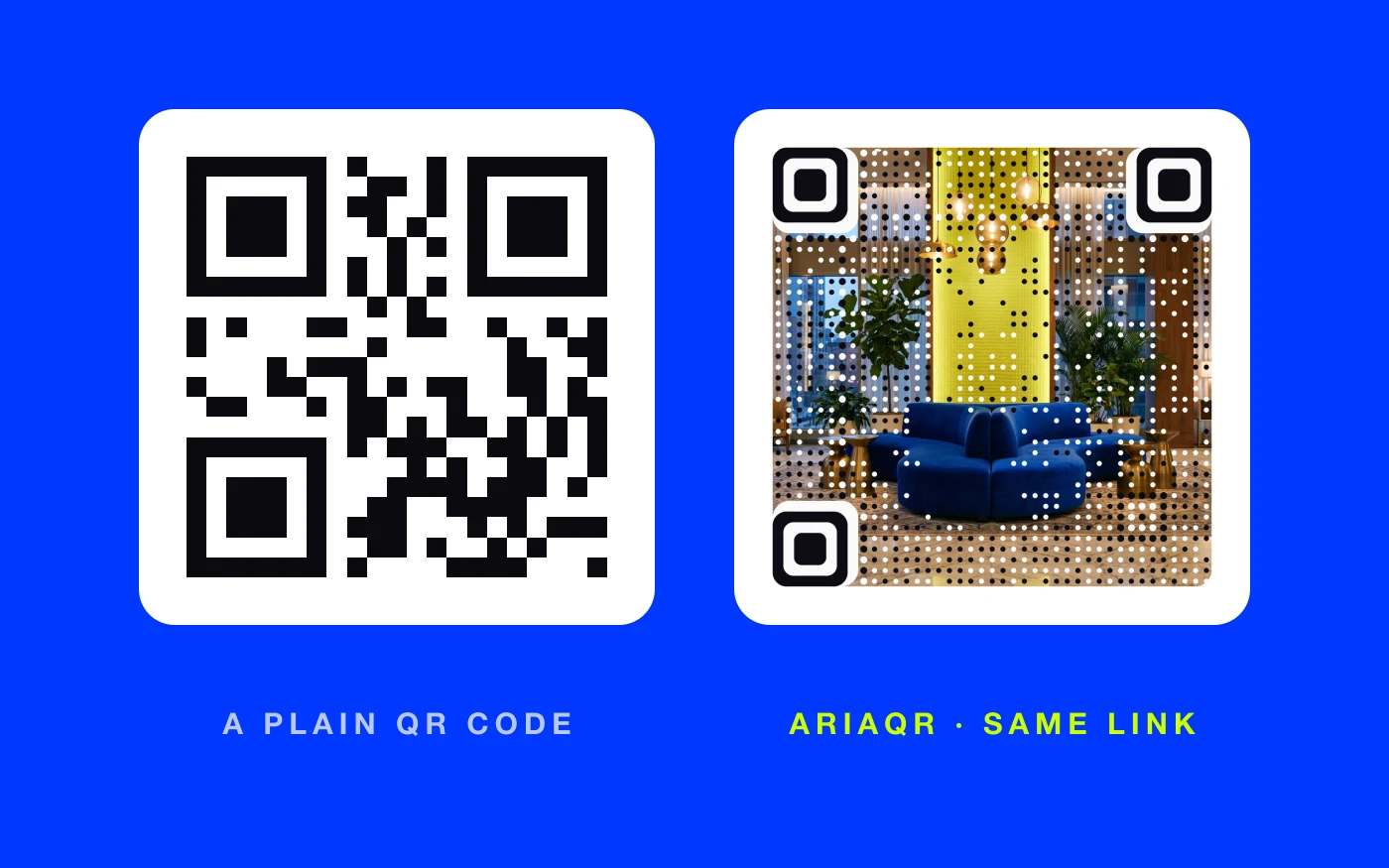
The plain version on the left is what most businesses print. It scans fine and says nothing. The version on the right is a real AriaQR code made from a photo of a hotel lobby. It opens the same kind of link, but it shows the place, invites a closer look, and fits on a room card or a brochure without fighting the design.
Three costs of a gray square
1. Fewer people notice it. A code that blends into the background only gets scanned by people who were already looking for it. Everyone else walks past.
2. It cheapens the surface it sits on. A premium box, a glossy brochure or a hand-lettered menu looks a little less premium with a generic square stamped on it. Our list of signs your QR code is hurting your brand covers this and four other ways a code lets a brand down.
3. It is easy to fake. Every plain code looks like every other one, so a sticker placed over yours is hard to spot. A code made from your own artwork is far harder to swap without someone noticing.
Why not just add color or a logo?
Most generators offer two fixes: change the colors, or put a small logo in the middle. Both help a little.
Color has limits, because the code still needs strong contrast to scan, so you usually end up with dark brand color on white. The logo badge is a small patch in a big grid; the square still dominates. You have a branded gray square, not a branded image.
The bigger change is to flip the order: start with the picture and let the code live inside it. That is what artistic QR codes do. The image stays the image, and the code appears as a field of dots across it. You can see the difference in our side-by-side of regular QR codes and AriaQR.
Does a beautiful code still scan?
It has to, or it is just decoration. A pretty code that you only discover is unreliable after the print run is worse than a plain one.
AriaQR verifies every code on real decoders under real-world conditions before you can download it. The site shows a plain verdict: verified, or scans up close only. There are two builds: Standard for screens and prints from 4 cm up, and Small print, verified down to about 1.5 cm for cards, labels and stickers.
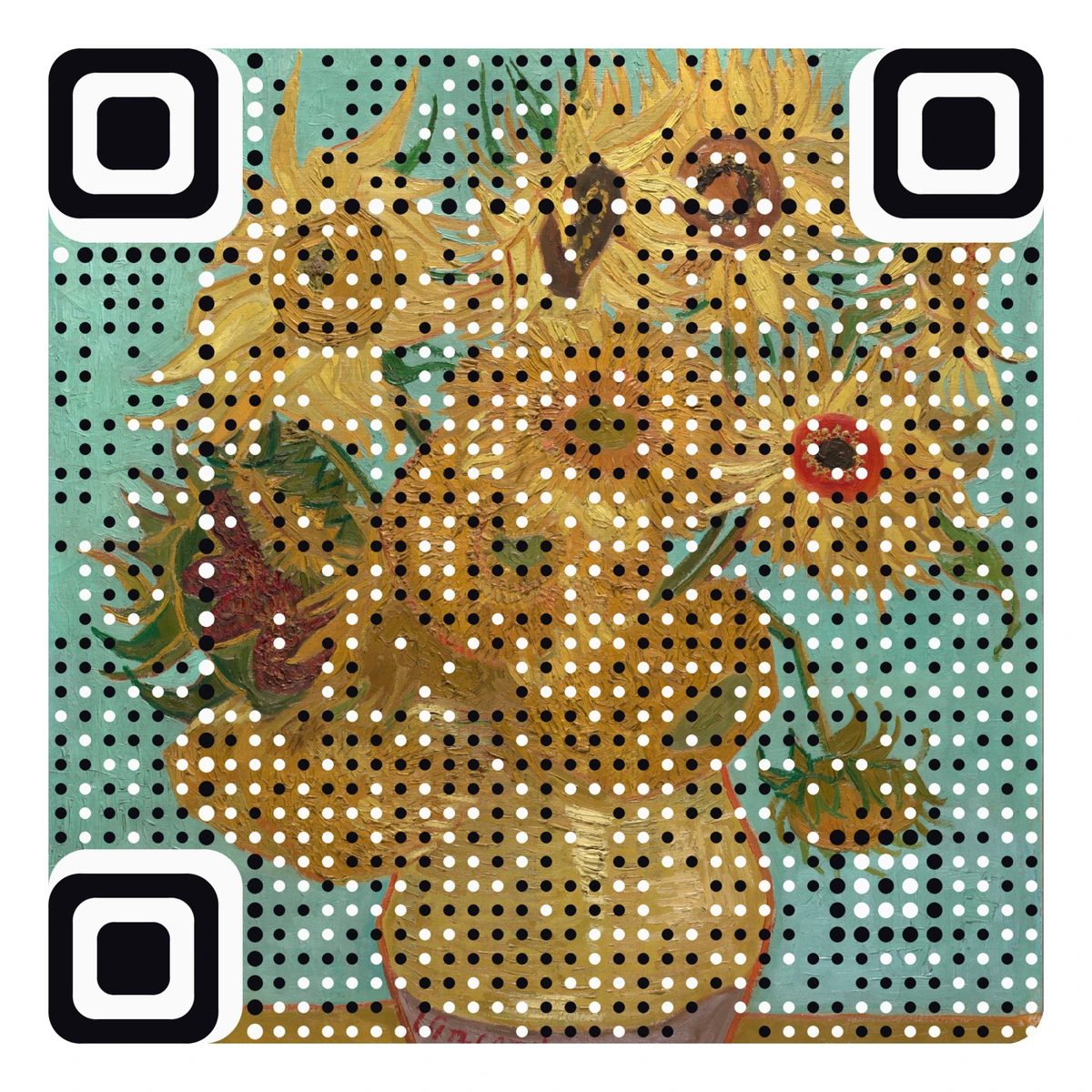
That is Van Gogh's Sunflowers, and it is a working code. Point your camera at it. Nobody walks past a painting the way they walk past a gray square.
When a plain code is still fine
Not every code needs to be art. A plain code is perfectly reasonable when:
- It is purely functional and expected, like a code on an internal asset tag or a shipping label.
- Nobody needs persuading, because people are already looking for it, like a boarding pass.
- Space is so tight that there is no room for an image to read.
For anything that has to earn attention, such as packaging, posters, menus, ads, event signage and business cards, the gray square is working against you. Free classic codes are still available at AriaQR when plain is all you need.
Where to start
Find the code in your business that matters most and gets scanned least, often on packaging or a poster. Swap the gray square for one made from an image people already respond to: your product, your logo, your space or a favorite painting. Keep the same line underneath, put it in the same spot, and compare scans week over week.