
Why do so many good conversations with coaches end with a card that never gets used? QR codes for coaches, tutors and consultants fix that gap: one code on your card saves your contact and opens your booking page, so "let's talk next week" turns into a time in the calendar before the person walks away.
Your card used to be the end of the conversation. Now it can be the first step of the sale.
What should a coach's QR code open?
Most solo professionals sell the same way. Someone meets you, likes you, and needs a simple next step. A good code gives them two.
- Save my contact. Your name, phone, email and photo go straight into their phone, so you are not a forgotten card in a coat pocket.
- Book a call. A button that opens your booking tool, with your free intro session or first lesson at the top.
You can do this two ways. A contact card code (a vCard) saves your details and works offline, but it cannot hold a booking link or change after printing. A code that opens a small landing page can do both jobs on one screen, and you can update it at any time. For most coaches, tutors and consultants, the page wins, because offers, prices and availability change every few months.
The page itself should stay short:
- A friendly photo and one line on who you help ("I help first-time managers run better one-to-ones").
- Two or three services, each in plain words.
- A save-contact button.
- A "Book a free intro call" button.
- Optional: a short contact form for people who would rather write than book.

How to set up your card and booking page
Picture a leadership coach in Portland, Sarah, who meets most clients at networking breakfasts. Here is how she would set it up.
- Build the page. On AriaQR landing pages she starts from the consultant business card template. It already has a profile block with her photo and a save-contact button, a list of services and room for a booking button.
- Add the booking link. Her booking button points to whatever scheduling tool she already uses. Nothing about her calendar setup changes.
- Make the code dynamic. The code on her card carries a short link to the page. When she launches a group program next spring, she edits the page. The cards already in people's wallets show the new offer.
- Print and test. She prints one proof card at real size and scans it with two different phones before ordering a full box.
The same steps work for a math tutor whose card opens a page with subjects, a sample lesson and a "book a trial lesson" button, or for an IT consultant whose page lists audits, retainers and a booking link for a discovery call.
Contact card or booking page: which one?
| Contact card (vCard) | Booking landing page | |
|---|---|---|
| Saves your details to their phone | Yes | Yes, with a save-contact button |
| Opens your booking tool | No | Yes |
| Works offline | Yes | No |
| Change after printing | No | Yes, if the code is dynamic |
| Shows photo, services, reviews | No | Yes |
| Tracks scans | No | Yes |
If you only want people to save your number, a vCard is enough. If you sell sessions, the booking page earns its place the first time someone books from the train home. Our guide to the QR code for business card covers size, paper and finish in more detail.
Make the code look like you, not like a barcode
Coaching and consulting are personal services. People buy you. A plain black square on the back of a carefully designed card says "admin", not "trusted advisor".
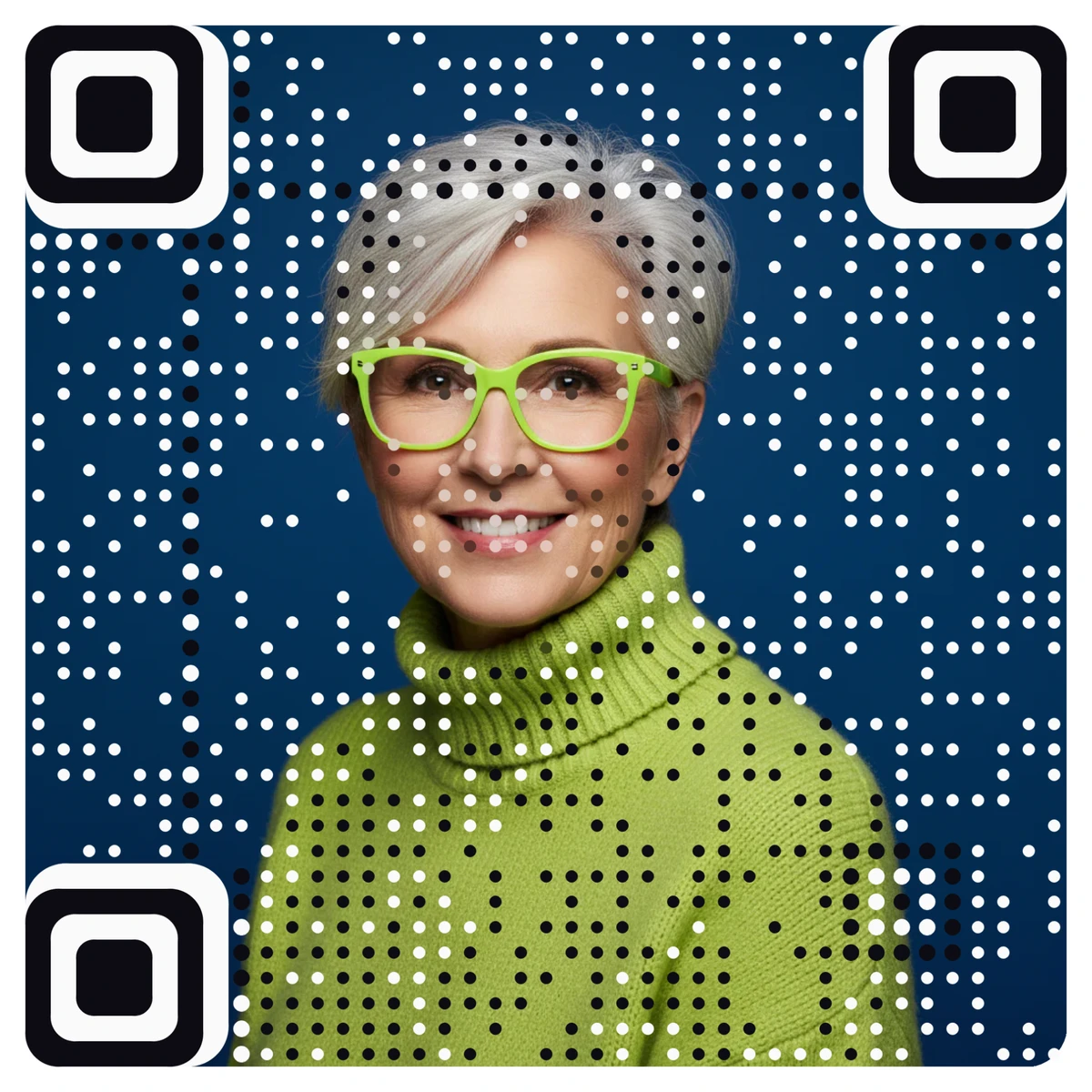
AriaQR turns your own headshot or logo into the code itself. The picture stays the picture, and the code lives in it as a field of dots. Every code is verified on real decoders under real-world conditions before you download it, so you are not guessing whether it will scan at a breakfast meeting.
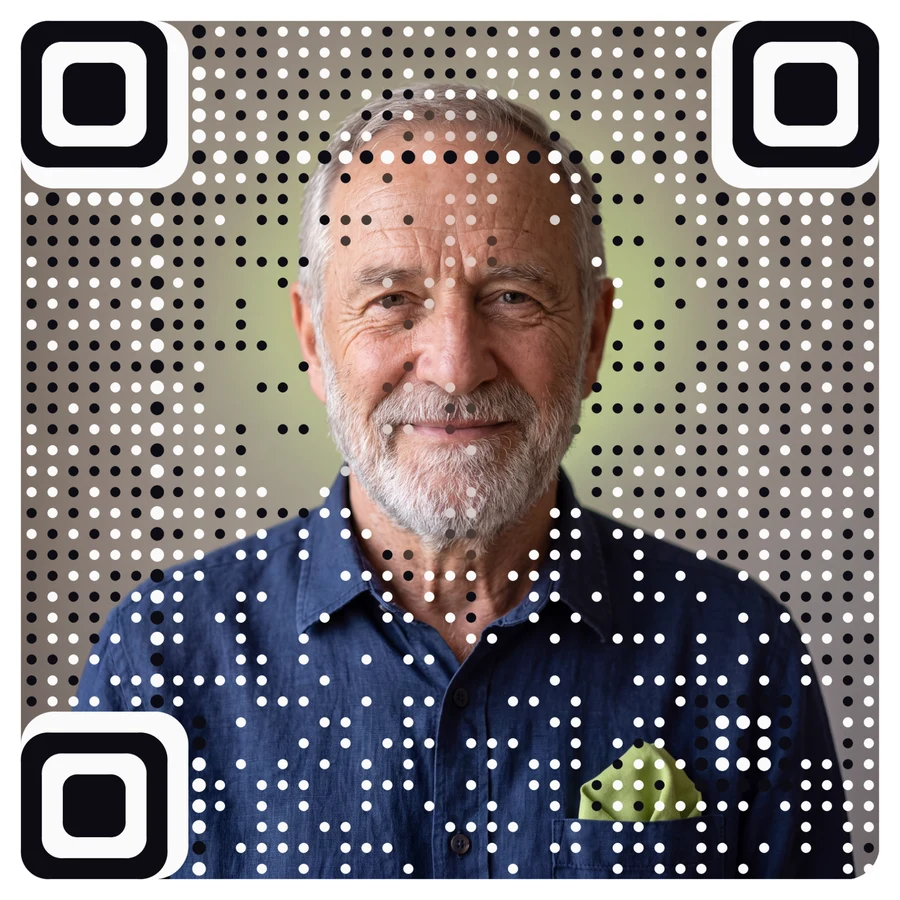
A headshot code does one more useful thing: when someone finds your card a week later, they remember the face before they read the name.
Where else coaches and tutors can use the same code
Your card is only the start. The same page can sit behind codes in other places you already show up.
- Slides at the end of a talk or workshop. "Scan to book a free call" on the last slide, while the room is still warm.
- Workbooks and handouts. Tutors can put a code on the back of homework sheets that opens the booking page for the next lesson.
- Email signatures and video call backgrounds. A screen code works too, as long as it is large enough to scan.
- A calendar event code for group sessions. A calendar event code adds a workshop's date, time and place to the scanner's calendar in one tap.
If you run several of these at once, give each its own code pointing to the same page. Comparing scans per day for each placement shows whether your talks, your cards or your flyers actually bring the bookings. Our post on dynamic vs static QR codes explains why this only works with dynamic codes.
Common mistakes to avoid
- Linking to your full website. A homepage with ten menu items is a detour. Link to the one page with the booking button.
- No label under the code. Write "Scan to book a free intro call". People scan when they know why.
- A code that is too small. Keep it around 2 cm on a standard card. If your design is tight, choose a small print build.
- Glossy lamination. Shiny finishes reflect light into the camera. Matte or soft-touch scans more reliably.
- Forgetting to update. When your offer changes, change the page the same day.
Where to start
Write down the one action you want after every first meeting, usually "book a call". Build a short page around that action, point a dynamic code at it, and put the code on your card with a clear label. Then make it look like you.