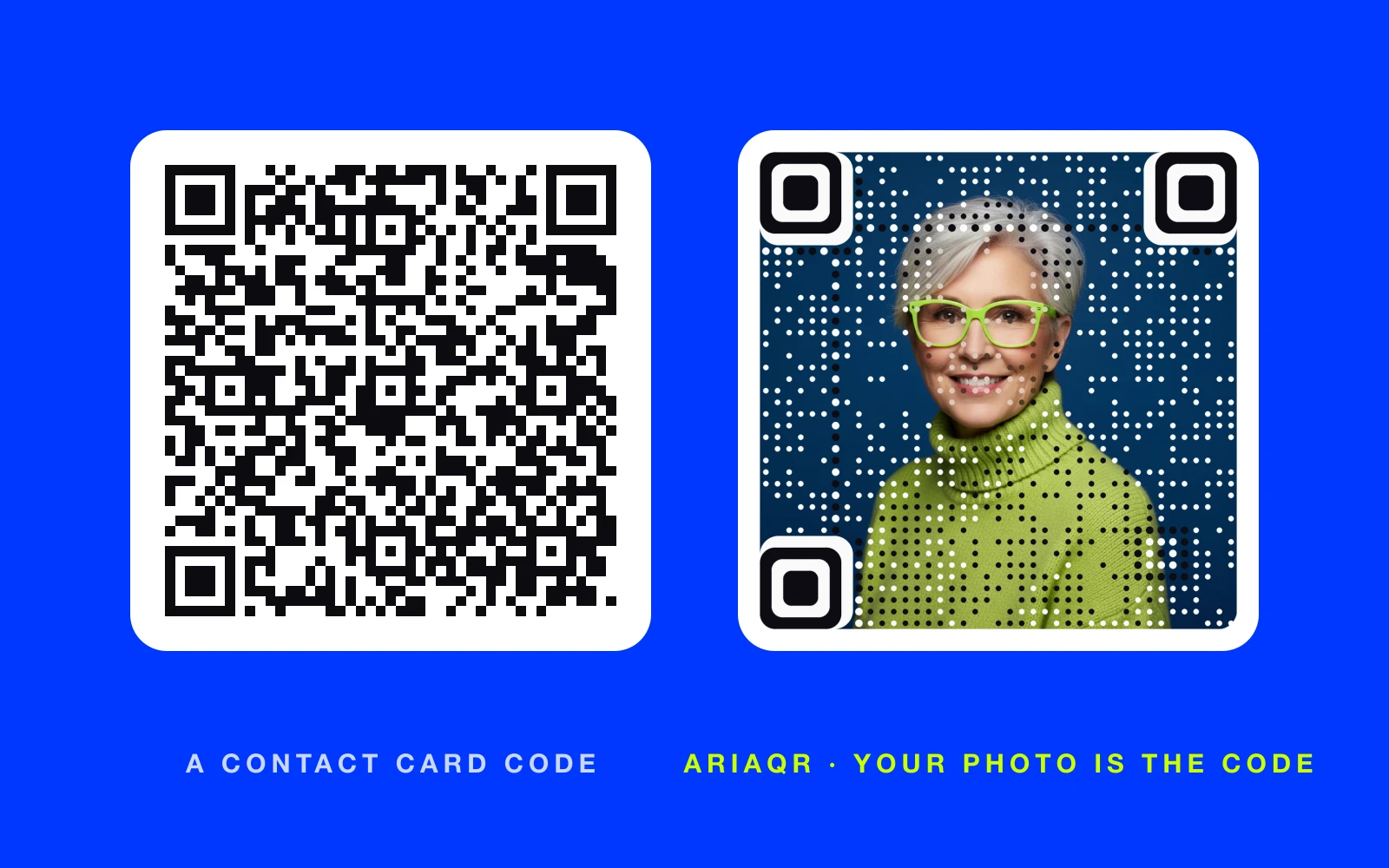
A QR code for a business card should do one job: put your details in someone's phone before your card ends up in a drawer. The two good options are a vCard code, which saves your contact directly, and a code that opens a digital business card page. Print it at least 2 cm wide, give it a label, and test it on two phones before ordering a box of cards. Whether you call it a QR code for business card printing, a visiting card QR code or a QR contact card, the same rules apply.
What should a business card QR code open?
There are two real choices, and the right one depends on how often your details change.
| vCard QR code | Digital business card page | |
|---|---|---|
| What happens on scan | The phone offers to save your contact | A mobile page opens with your details and links |
| Works offline | Yes | No |
| Change it after printing | No | Yes, if the code is dynamic |
| Shows a photo, portfolio, booking link | No | Yes |
| Tracks scans | No | Yes |
| Best for | Details that rarely change | Sales, real estate, creators, anyone with links |
A vCard is the classic QR code for contact info. It stores your name, phone, email, company, title and website inside the code itself. Most iPhone and Android cameras recognize it and offer "Add to contacts" in one tap.
A digital business card page goes further. It can hold a headshot, a booking link, your listings or portfolio, social profiles and a save-contact button. Because the printed code carries a link, you can change the page when you change jobs, phones or offices, and the cards in circulation stay correct. Dynamic vs static QR codes explains that trade-off in more detail.
How to create QR codes for business cards
- Pick vCard or page. Use the table above. If in doubt and you hand out cards for more than a year, choose a page.
- Enter your details. This is how to make a QR code for contact information: for a vCard, fill in name, mobile, email, company, job title and website. Keep it to what you want saved: more fields make a denser code.
- Make the code. The free vCard QR code generator works as a business card QR generator: it makes a static QR code contact card in your browser, with no account and no watermark. For a digital card, build a page on AriaQR landing pages from a business card template and point a dynamic code at it.
- Match it to the card. Dark code on a light background. Brand colors are fine if contrast stays strong.
- Download a print file. SVG or PDF for the printer, or a large PNG.
- Test a proof. Print one card at real size and scan it with an iPhone and an Android phone, in normal room light. The free QR code tester is a second check.
What size should a QR code for business card printing be?
A standard US business card is 3.5 × 2 inches. People scan it from about 15 to 25 cm away, so the code needs to be around 2 cm (0.8 inches) wide, and 2.5 cm (1 inch) is more comfortable. Smaller than that, and older phones start to struggle.
Leave a clear margin around the code, roughly the width of the code's corner squares, with nothing printed in it. Avoid placing it across a fold or close to the trimmed edge, where cutting can drift.
If the layout is tight, AriaQR's small print build is verified down to about 1.5 cm. It exists for exactly this: cards, labels and stickers. Small print QR codes has the details and examples.
Finishes and paper that affect scanning
- Matte beats gloss. Glossy lamination reflects light straight back into the camera. A matte or soft-touch finish scans better.
- Foil and spot UV. Beautiful on a logo, risky on a code. If the code must be foil, test a proof from the actual press.
- Dark cards. Print the code dark on a light panel rather than inverting it to white on black. Many scanners read inverted codes poorly.
- Textured stock. Heavy linen or felt textures can break up small modules. Keep the code a little larger on textured paper.
Make the code part of the design
A plain black square on a premium card looks like an afterthought, and it often gets ignored. Two ways to make it belong:
Your logo or headshot as the code. AriaQR turns your own image into the QR code itself, so the code on the back of the card is your logo or your portrait, not a grid with a logo pasted in the middle. Each code is verified on real decoders under real-world conditions before you download it. Start with the QR code with logo page, or upload a photo in the generator and choose small print.
A label that gives a reason. "Scan to save my contact", "Scan to book a call", "Scan to see listings". A short line under the code lifts scans more than any color choice.
Real estate agents get the most from this: the card opens current listings and a booking link, and the same code keeps working when listings change. QR codes for real estate covers signs, flyers and cards together.
Business card QR code examples
- Emma Clarke, realtor in Denver. Back of the card: her headshot as the code, labeled "Scan for my current listings". It opens a page with listings, a booking link and save-contact.
- A design studio in Manchester. The studio logo is the code. It opens the portfolio, and the team swaps featured projects each quarter without reprinting.
- A sales rep at a trade show. A vCard code labeled "Scan to save my contact", so leads leave the booth with the number already in their phone.
Common mistakes
- A long vCard. Adding every address, a note and three phone numbers makes the code dense and hard to scan at 2 cm.
- A static code to a page you will move. If the link might change, use a dynamic code.
- No label. People do not scan codes they cannot explain.
- Testing only on screen. A code that scans on a monitor can fail on glossy stock. Always scan a printed proof.
Where to start
For a free contact code, use the vCard QR code generator and print it at least 2 cm wide. For a card that stays current and stands out, build a digital card page, then make the code from your logo or headshot in the AriaQR generator with the small print build. For costs, see pricing.