What a module is
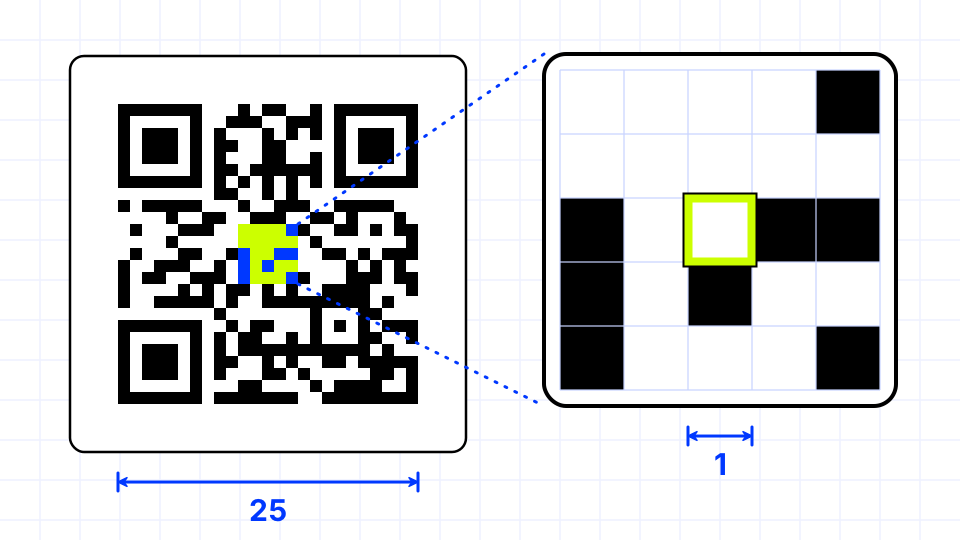
A module is the smallest square in a QR code grid, and each one is either dark or light. A dark module usually stands for a binary 1 and a light module for a 0, although masking flips many of them before printing, so you cannot read the data by eye.
Modules are arranged in a square grid whose side length depends on the version. Version 1 is 21 modules wide and each version above it adds 4 modules per side, up to 177 modules for version 40.
Why modules are the unit of measure
The standard describes almost everything in modules rather than millimeters, because a QR code can be printed at any size. The quiet zone is 4 modules wide, a finder pattern is 7 by 7 modules, and an alignment pattern is 5 by 5 modules.
When you plan a print job, the physical width of one module is what matters to the scanner. A camera has to resolve each module as a distinct square, so a code with many small modules needs to be printed larger or scanned from closer than a code with fewer, bigger modules.
- Version 1: 21 × 21 modules
- Version 10: 57 × 57 modules
- Version 40: 177 × 177 modules
- Micro QR M1: 11 × 11 modules
Module shape and styling
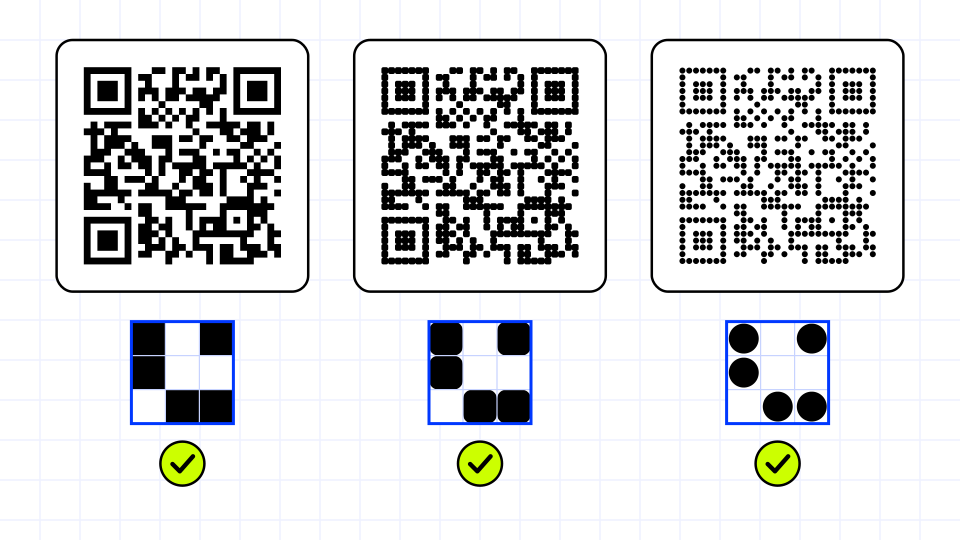
The standard draws modules as squares, but readers sample the center of each cell, so rounded squares, dots and other shapes often still scan. The safer the design, the more of each module’s center area stays solid and the higher the contrast between dark and light.
Styling works best on data modules and is riskier on the finder patterns, which scanners rely on to locate the code. Testing a styled code on several phones is the only reliable check.