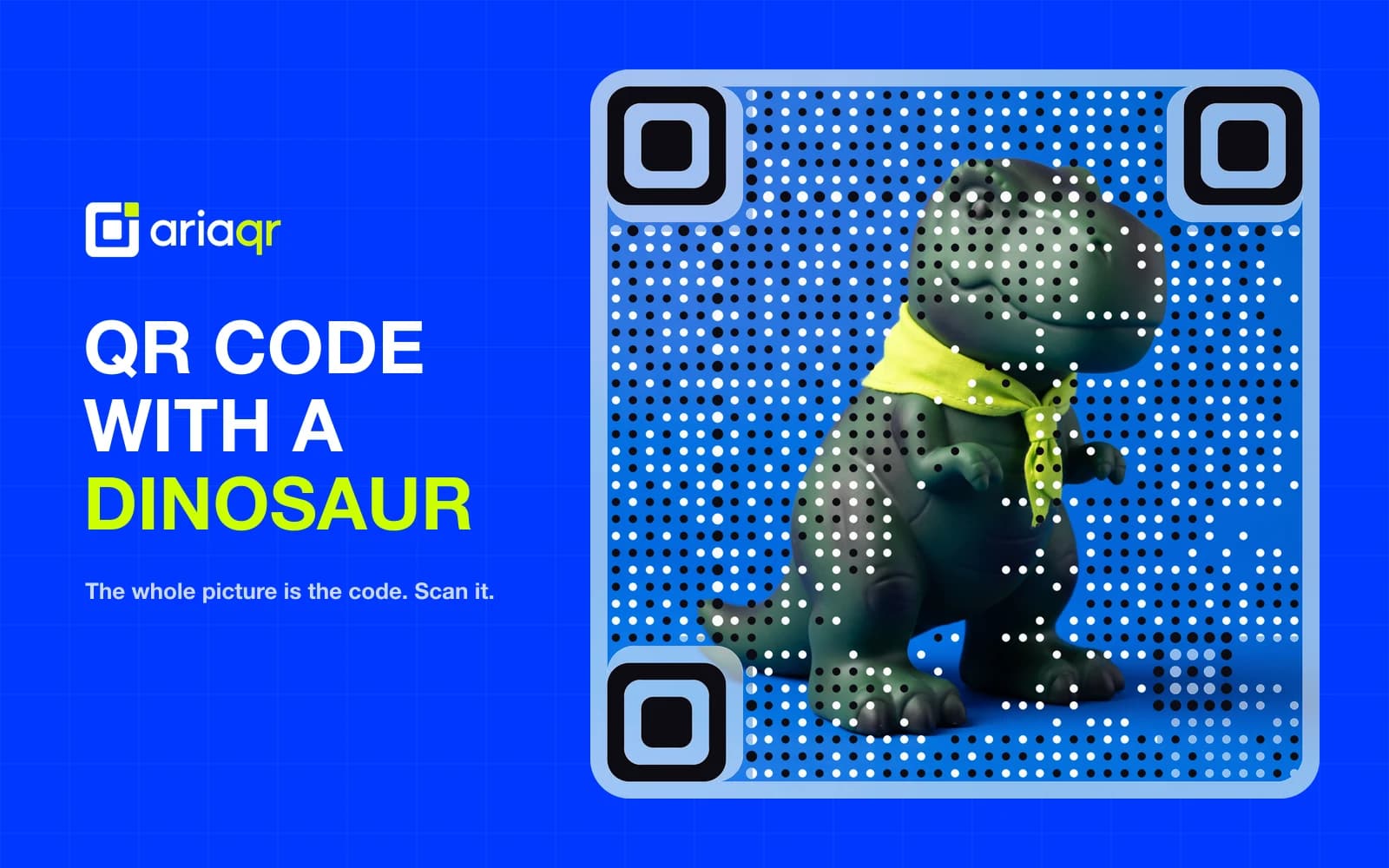
A QR code with a dinosaur is usually a normal, scannable QR code decorated with Chrome's tiny pixel dinosaur. It is playful, recognizable and handy for sharing web pages, but the dinosaur itself adds no special scanning powers. Think of it as a small mascot riding inside a machine-readable square.
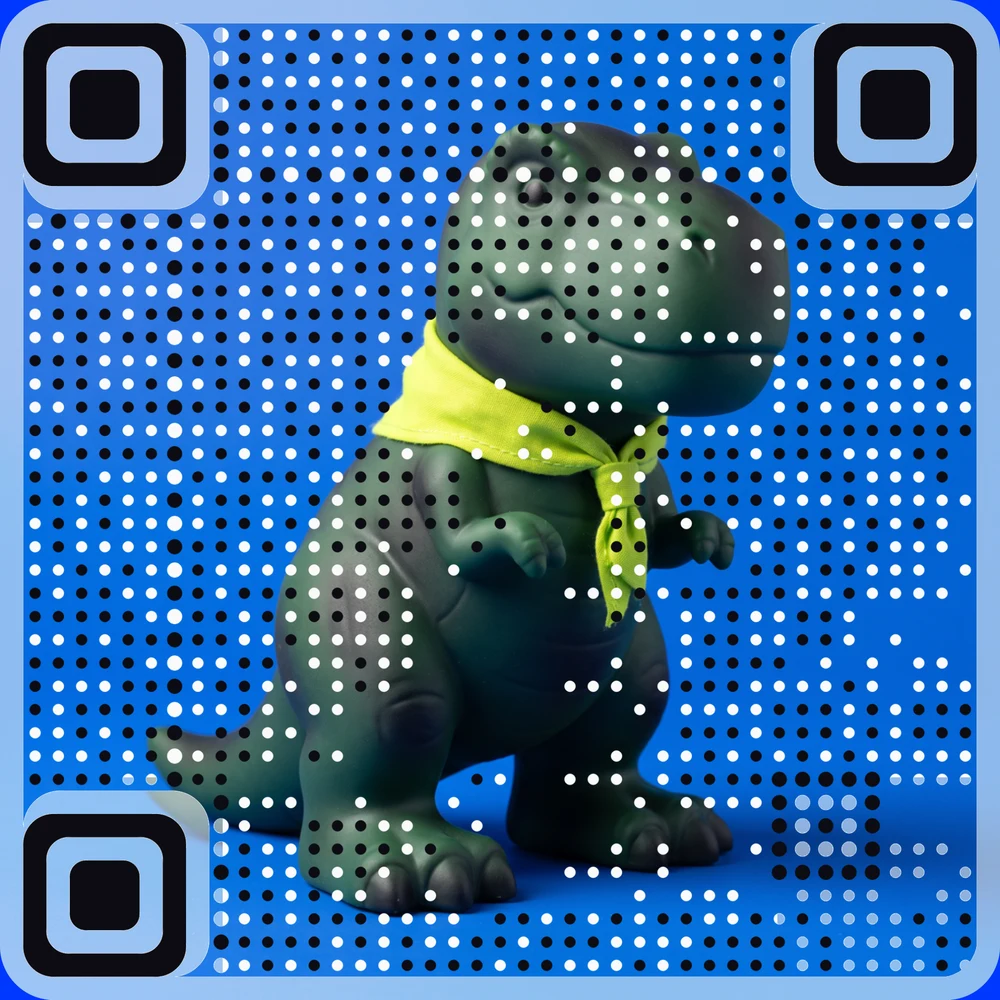
The code above goes further: there is no small mascot in the middle, because the whole dinosaur picture is the code. Point your phone at it and it opens ariaqr.com.
What is a QR code with a dinosaur?
It is a standard QR code with a decorative character
A QR code stores information in a grid of small dark and light squares. That information might be a web address, a digital menu, Wi-Fi details, contact details or plain text. A dinosaur QR code uses the same system. The dinosaur is simply a visual element placed in or near the center of the grid.
The dinosaur most people recognize comes from Chrome's offline game, where a pixel dinosaur appears when there is no internet connection. As QRPlify explains in its overview of Chrome dinosaur QR codes, Chrome can generate a QR code for a web page that carries that familiar dinosaur.
The distinction matters because the dinosaur is not a separate QR format. A phone does not scan a "dinosaur code" differently from a plain one. It finds the QR pattern, reads the data and offers the link or action.
The dinosaur is the costume. The QR pattern is the creature doing the work.
Why the center can hold an image at all
QR codes carry built-in redundancy: a scanner can often still read the message when part of the symbol is damaged, dirty or partly hidden. That is why many branded QR codes can place a logo in the center.
That redundancy is not a free pass to cover any part of a code. QR codes have visual landmarks a camera relies on:
- The three large squares in the corners tell the camera where the code is and which way up it is.
- Smaller alignment squares help with distortion, especially in denser codes.
- The blank border around the code, called the quiet zone, separates it from nearby artwork.
- The remaining small squares carry the actual data.
A center image works best when it stays away from the corner squares and leaves plenty of the pattern intact around it. Cover too much, use weak contrast or crowd the border, and the dinosaur stops being a cute passenger and becomes a meteor landing on the signal.
Why dinosaurs still work so well in design
Dinosaurs are a cultural shortcut for curiosity, adventure, childhood science, games and big-screen spectacle. That makes them useful for museum exhibits, children's events, dinosaur-themed restaurants, collectible packaging and playful campaigns.
The real advantage is attention. A plain black square can look like an afterthought. A dinosaur gives people a reason to pause and ask, "Does that actually scan?" That moment of curiosity pays off, provided the destination is worth the scan.
For craft projects, the dinosaur can become part of the object rather than a sticker added at the end. A cross-stitch QR code pattern can turn a scannable design into stitched wall art, a classroom display or a handmade gift with a hidden message.
Chrome's dinosaur QR code vs. a custom design
Making one in Google Chrome
Chrome's built-in option is designed for quick page sharing. On a computer, open the page you want to share and look for Chrome's QR code option in the address bar or the page's share controls. The exact label and position change between Chrome versions and operating systems, so treat menu steps as a guide rather than a permanent map.
Chrome can create and download the dinosaur QR image through its page-sharing feature, as QRCodeCreator's Chrome QR code guide describes. On Android, the route usually runs through the Share menu and then the QR code option. QR STOCK's explanation of the dinosaur mark notes both the platform differences and the dinosaur's purely decorative role.
This is ideal when you need to share a page with someone in the room, on a screen or in a short-lived handout. It is less suited to brand colors, campaign reporting or a destination you need to change later. We compare the two in more detail in Chrome QR code generator vs AriaQR.
When a dedicated generator makes more sense
A dedicated generator is the better choice when the dinosaur is part of the idea, not a quick Chrome flourish. Tools differ in which kinds of content they support and how much styling they allow, from colors and center images to dot shapes.
AriaQR takes a different approach from a mascot in the middle: you upload your dinosaur picture and the picture itself becomes the code, as in the T-rex above. Every code is verified on real decoders under real-world conditions before you download it, so you know it scans before anything is printed.
That flexibility changes what you can build. A museum could turn a dinosaur illustration into a code that opens its audio guide. A café could print a dinosaur on a table tent that opens its menu. A party organizer could put the Wi-Fi details inside a colorful prehistoric invitation.
Chrome's design is fixed by comparison. QRKit's comparison of Chrome's QR output and alternatives notes that Chrome includes the dinosaur and offers less visual control than other generators. If you want to remove the dinosaur, change its style or match a brand palette, make a new QR code rather than editing Chrome's downloaded image by hand.
Static and editable destinations
Before printing anything, decide whether the code needs a fixed destination or one you can edit.
| QR code type | What it does | Best use | Main trade-off |
|---|---|---|---|
| Static QR code | Stores the final link, text, Wi-Fi details or contact data directly | Permanent information such as Wi-Fi access or a fixed PDF | Changes need a new code and usually a reprint |
| Dynamic (editable) QR code | Sends scanners through a managed link before the final destination | Campaigns, menus, product pages, event materials | Needs a service that manages the link |
A static dinosaur QR code is often enough for a classroom worksheet linking to a video that will not move. For packaging, a seasonal poster or a menu, an editable destination saves expensive reprints: the printed code stays the same while the link behind it changes. Our guide to dynamic vs static QR codes covers the choice in full.
If the project spans physical formats, think about the medium early. A QR code sculpture can suit an exhibit or a dinosaur installation, but the same rules apply: keep the corner squares, strong contrast and enough blank space around the code.
How to keep a dinosaur QR code scannable
Design for cameras, not screenshots
A QR code can look crisp on a laptop and fail on a glossy brochure. Phones have to recognize it quickly, often in imperfect light, with a moving hand or at a slight angle. Decorative codes need more discipline than plain ones, because every color, texture and image competes with the data pattern.
Practical design rules:
- Keep the three large corner squares fully visible and distinct.
- Keep a clean blank border on all four sides. Do not let text, stars, claws or background art press against it.
- Use strong contrast between the code and its background. Dark on light is generally safer than pastel on pastel.
- Avoid busy detail behind the code. A jungle texture may look charming and confuse a camera.
- Keep a center image modest in size instead of stretching it across the grid.
- Encode the shortest sensible link. A shorter link makes a less dense pattern than a long tracking URL.
There is no single safe size for a dinosaur overlay that holds for every code. It depends on how much data the code carries, how it was made, the print material and the phone scanning it. A small dinosaur may scan easily on a code for a short link and fail on a dense code carrying a long Wi-Fi password.
Test it the way people will use it
Do not trust one successful scan from your own phone, especially before printing hundreds of menus or labels.
- Check the content first. Scan the final file and confirm the exact link, text or Wi-Fi details, including where the link ends up.
- Use more than one phone. Different phones and camera apps behave differently.
- Test the real size. A code enlarged on a screen proves little about a small printed sticker. Print a sample on the planned paper, at the planned size.
- Scan it as people will. From close up, at arm's length and at a slight tilt. A code that only works held perfectly flat is fragile.
- Check the lighting. Indoors, daylight and anywhere with glare. Glossy laminate and curved bottles deserve special attention.
- Set a pass rule. Each phone should scan it reliably in normal use, not once after several tries.
If it fails, simplify before adding drama: make the code bigger, shorten the link, strengthen the contrast, shrink the center image and restore the blank border. Do not add more decoration and hope the code will rescue itself. AriaQR codes are verified on real decoders under real-world conditions before download, which removes most of the guesswork; a printed proof is still worth the few minutes. How we verify every code explains what the verdict means.
Print details that decide success
Print can turn a friendly dinosaur into a tiny fossil. Low resolution, poor scaling, textured paper, metallic ink and curved surfaces all make recognition harder.
Use a sharp master file rather than a screenshot. For print, a 2048-pixel PNG is a solid starting point for most layouts, though the final physical size still matters. Never stretch a small image until the squares turn soft or uneven.
Check the finished proof at the real viewing distance. On a poster, the code may need to be larger because people scan from farther away. On a business card, space is tight, so a dense code with a big dinosaur may be the wrong fit: shorten the link, simplify the artwork or move the dinosaur outside the code.
Check safety before you scan or share
A dinosaur does not make a QR code more or less safe. The risk is in the destination. Before scanning an unfamiliar code, preview the link if your camera shows it and avoid suspicious addresses. Before sharing your own, scan it after every export and make sure the destination is what you intended.
This matters most when a cute dinosaur appears on public signs. Familiar imagery builds trust faster than it should, and a playful design should never be used to disguise a misleading link.
Key takeaways
- A QR code with a dinosaur is usually an ordinary QR code with Chrome's decorative dinosaur or a custom dinosaur image.
- Chrome is useful for quick page sharing, but its design is fixed and varies slightly between versions.
- A dedicated generator is better for Wi-Fi, contacts, brand colors, editable destinations, analytics and print campaigns.
- The dinosaur does not improve scanning. Placement, contrast, the blank border and how dense the code is decide whether it scans.
- Test the final print, not only the file on screen.
Where to start
Use Chrome's dinosaur QR code when speed matters and the destination is a page you are looking at right now. Use a dedicated generator when the code is part of a campaign, product, event, lesson or installation that must look intentional and stay manageable after printing.
To make a code where the dinosaur is the whole picture, upload it to the AriaQR generator and choose what it should open. For playful pixel projects, the Minecraft QR code generator puts scannable creativity in the same blocky frame.