QR code phishing is no longer a niche trick. Microsoft's threat researchers called it the "fastest-growing attack vector" in email during the first quarter of 2026. The good news is that a malicious QR code is easy to catch if you know where to look: read the address before you open it, be suspicious of codes that ask you to sign in, and favor codes from brands that let you check them.
How fast is QR code phishing growing?
Fast, and in bursts. In its Q1 2026 email threat report, published on April 30, Microsoft Threat Intelligence counted 7.6 million QR code phishing attacks in January and 18.7 million in March. That is a 146% rise in one quarter, and the March figure was the highest monthly volume Microsoft had seen in at least a year.
The same report shows how the codes were delivered. PDF attachments carried most of them, rising from 65% of QR code attacks in January to 70% in March. Word documents carried most of the rest. A smaller but sharp change came late in the quarter: codes placed straight in the body of the email, with no attachment at all, jumped 336% in March, though they were still only about 5% of the total.
Then the wave broke. Microsoft's Q2 2026 report, published on July 23, says QR code phishing fell for three months in a row and closed June at 8.3 million attacks, back to levels last seen in mid-2025. Microsoft links much of the drop to its disruption of Tycoon2FA, a phishing-as-a-service platform that was behind a sizable share of these campaigns. Codes in email bodies all but disappeared, and attackers shifted between PDF and Word attachments instead.
The lesson is not that the problem went away. It is that the volume swings with the tools criminals rent, and the technique stays. Fewer attacks in June still meant millions of fake codes in inboxes.
Why do scammers use QR codes?
Because a QR code hides the one thing a careful person checks: the address.
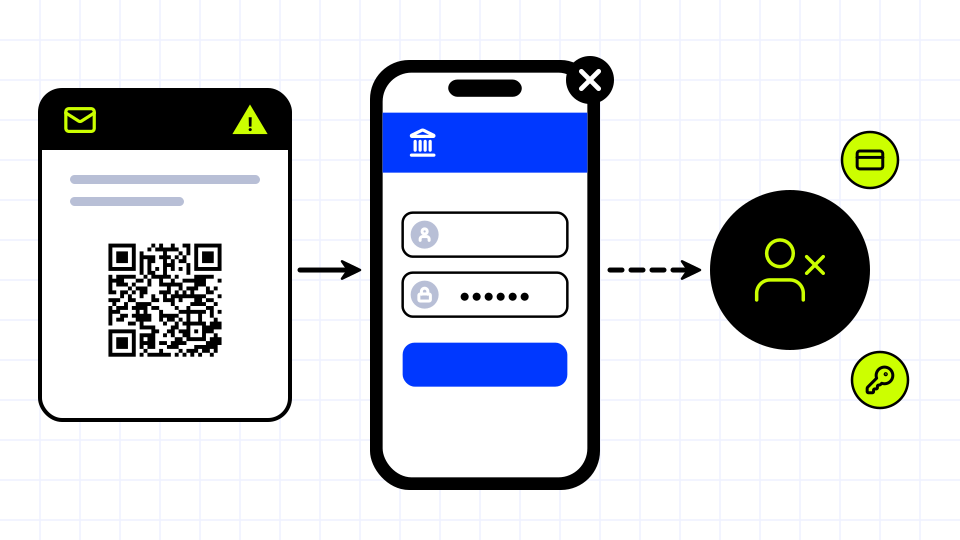
A few reasons it works:
- Filters read text, not pictures. A link typed in an email can be scanned and blocked. A link drawn as a code inside an image or a PDF is harder for mail filters to see.
- The scan moves you to your phone. You read the email on a work laptop with protections, then scan the code with a personal phone that has fewer.
- It feels routine. People scan codes for menus, parking, tickets and boarding passes every day. One more code rarely looks strange.
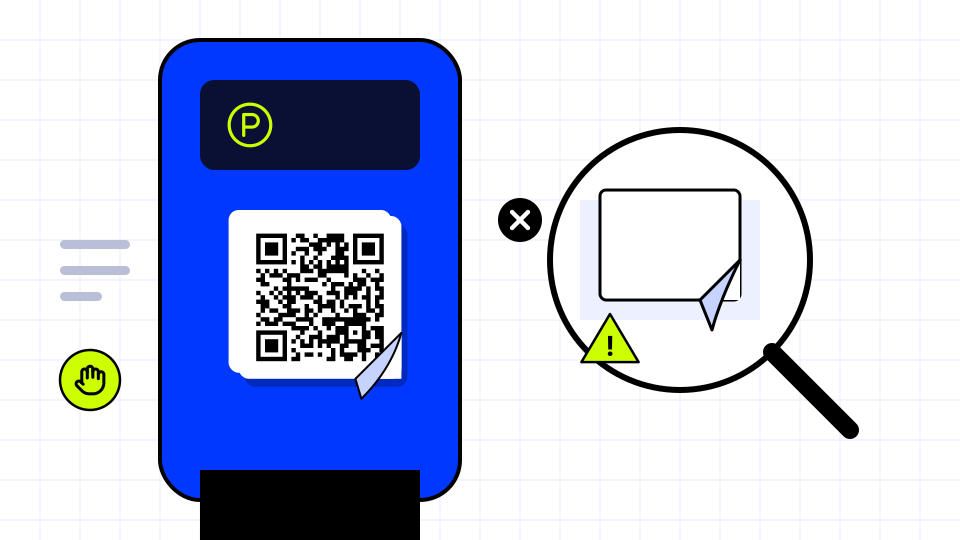
- Codes in public are easy to cover. A printed sticker over the real code on a parking meter or a poster sends every scan to the scammer, and nobody notices for weeks.
The usual goal is the same as any phishing: a fake sign-in page that steals a password, or a fake payment page that steals a card number. Our glossary entry on quishing has a short definition if you need one for a training deck.
How do you tell if a QR code is safe?
Work through these before you open anything. Most codes pass the first two in seconds.
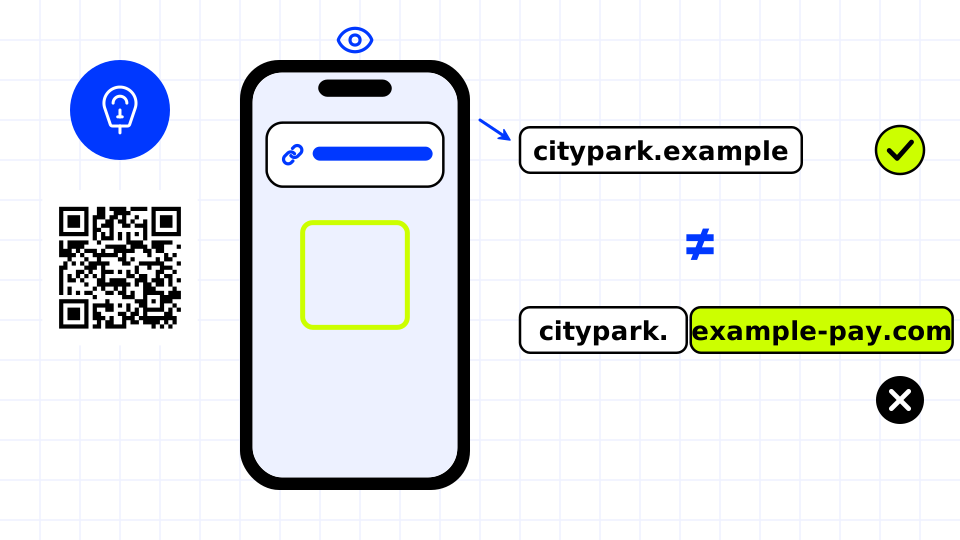
- Preview the address. Most phone cameras show the address in a small banner before opening it. Read it. If your camera opens pages without asking, switch that off, or use a scanner app that shows the link first.
- Read the real domain. Look at the part just before the first single slash. "citypark.example" is the operator; "citypark-pay.example-billing.com" is someone else. Watch for extra words, swapped letters and odd endings. Our guide on checking a link before you click walks through this in more detail.
- Be wary of codes in emails and PDFs. A code that arrives by email asking you to sign in, reset a password, fix a payment or read a "secure document" is the exact pattern Microsoft describes. Go to the service yourself instead.
- Look at the code itself in public. Is it a sticker over a printed code? Does the edge lift, or does it sit at an angle to the rest of the sign? On parking meters and chargers, pay through the operator's app or the address printed on the sign. More on this in QR code sticker scams.
- Treat any request for a password or card number as a stop sign. A menu or a product page never needs your password. If one asks, close it.
- Check what you cannot judge. If you are unsure, paste the address into the free QR code safety checker, which shows where a code goes and flags common tricks, or look the domain up on Google's Safe Browsing site status page.
| What you see | Usually fine | Warning sign |
|---|---|---|
| Where the code is | Printed on the menu, sign or packaging itself | Sticker on top of another code |
| How it arrived | In a place you chose to visit | In an email or PDF you did not expect |
| The address shown | The brand's own domain, or a short link you can check | A lookalike domain or a raw number address |
| What the page asks | Nothing, or to browse | A password, a card number or an "urgent" fix |
What should businesses do about QR code phishing?
Your customers will scan your codes with all of this in mind, and a little care makes your codes easy to trust.
- Use your own domain where you can. A code that lands on yourbrand.com is easier to trust than one that lands somewhere unfamiliar. Our guide on what a QR code should link to covers good destinations.
- Tell customers what your codes look like. Say where your codes appear and where they lead, in your app, on your site and at the counter. A hotel can note at check-in that its codes always open its own domain and never ask for card details.
- Never send codes for sign-in by email. If your staff or customers learn that you never do this, they will spot a fake that does.
- Check printed codes regularly. Walk the floor. Look for stickers over your codes on tables, posters, signs and machines, and scan a few to confirm they still open the right page.
- Use codes you can edit and stop. With a dynamic code, the address inside the code points at a short link you control, so you can fix a destination or shut a code down without reprinting. Our comparison of dynamic and static QR codes explains the trade-offs.
- Have a way to report problems. Make it easy for customers to tell you a code looks wrong.
How does AriaQR help keep codes safe?
Every AriaQR code runs on an AriaQR short link, so its destination can be checked, changed and stopped.
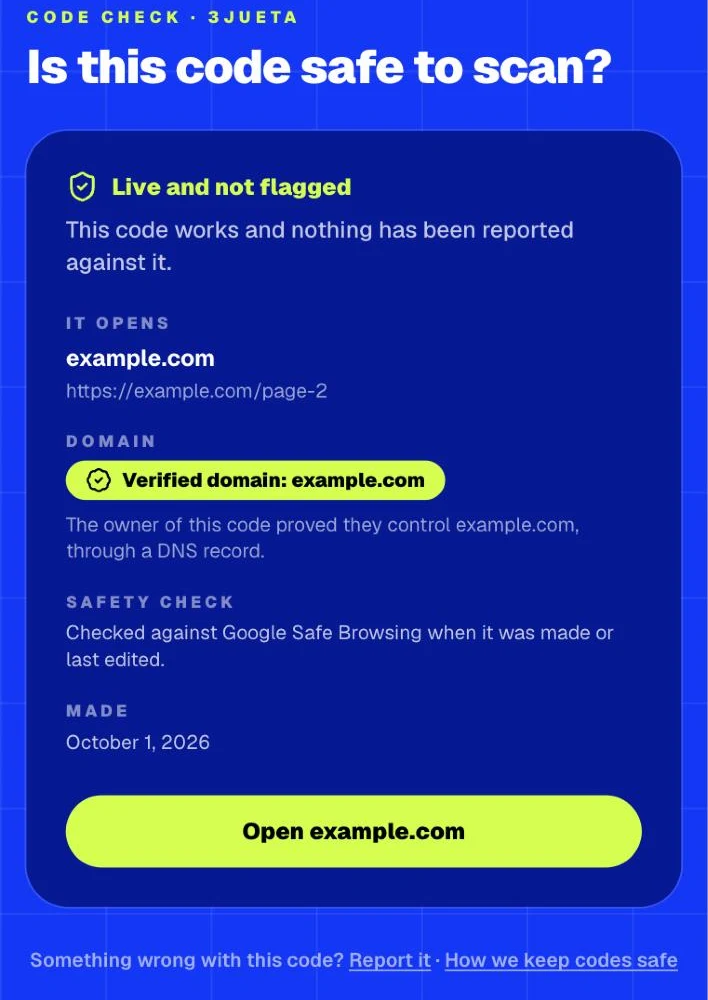
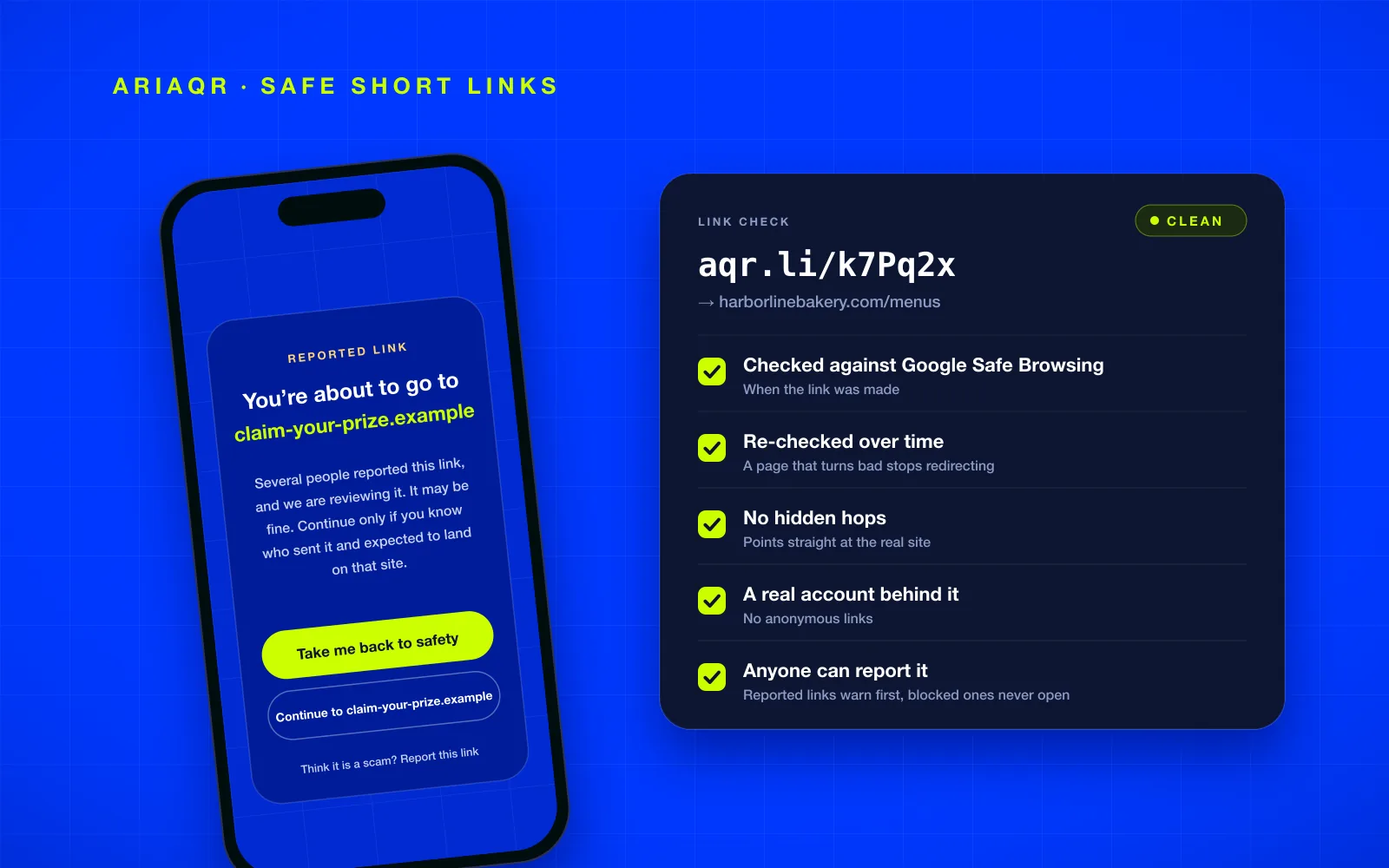
- Checked three times. Against Google Safe Browsing when a code is made, whenever its destination changes, and again every day.
- Stopped when it turns bad. A flagged destination is blocked or put behind a warning, so nobody lands on it unawares.
- Reported by anyone. Reports put free codes and short links behind a warning that names the destination.
- Verified domains. Brands prove their website by work email, a website tag or file, or a DNS record, and their codes show "Verified domain" on a public check page.
- A mark to print. A small safe-to-scan mark beside the code sends people to that check page.
How it all works, in pictures: ariaqr.com/trust.
Where to start
If you scan codes, make the preview habit automatic: read the address, read the domain, and never type a password on a page a code opened for you. If you print codes, put them on your own domain, verify that domain, and add the safe-to-scan mark so customers can check you in a second. You can make a code with these protections built in, and see pricing when you are ready to buy.