Round QR code generator
Round dots and circle eyes. Free, no sign-up, never expires.
Where to put it
- Shorter links make smaller, faster codes. Drop tracking tags you do not need.
- Higher error correction (Q or H) survives scratches and a logo on top, but makes the code denser.
- Keep a margin of four modules on every side. Printers love to trim it.
Want scan counts and an editable destination? Make it a free dynamic code. Want it in your own image? Make a picture code.
Enter a web address to see the code.
Static · no expiry · built in your browser
A round QR code is a standard QR code drawn with round dots and circular corner eyes instead of squares. Phones read it the same way as a classic code, as long as the dots are dark on a light background and it is printed big enough. For a code that looks like a circle from the outside, place the square code inside a round frame or sticker and keep a clear margin around it.
Examples
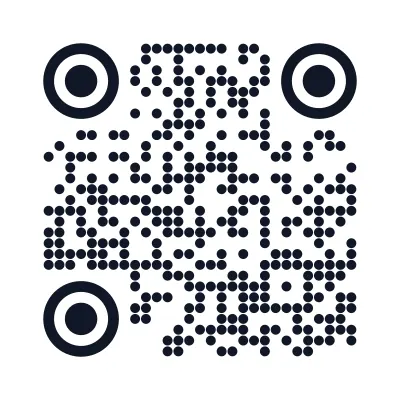
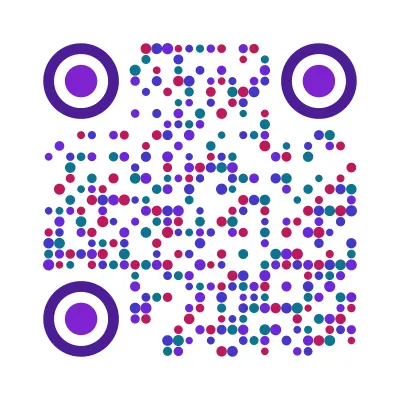
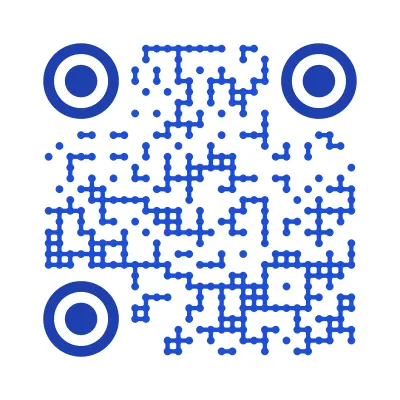
The same code, three ways
Square dots, square eyes
Rounded dots, rounded eyes
Round dots, circle eyes
All three hold the same link (ariaqr.com) and scan the same way. Only the drawing of the dots and the corner eyes changes.
The honest answer
What a round QR code really is
Every QR code stores its data on a square grid, and the three large squares in the corners, called finder patterns, tell the phone where the code is and which way up it sits. A round QR code keeps that grid and changes how each part is drawn: each dark square becomes a dot, and each corner square becomes a ring with a round center. That is why it scans with any phone camera. Codes that are round all the way through, with data running around a ring, are not QR codes; they usually need one company’s own app to scan.
Step by step
How to make a round QR code
- 1
Paste your link
Type or paste the web address into the tool at the top of this page. The link goes into the code exactly as shown, so it never expires and needs no account.
- 2
Keep Dots and Circle
The tool opens with Dots for the dots and Circle for the eyes. Try Rounded or Diamond if you want a different look; every option keeps the same square grid.
- 3
Pick dark on light colors
Set Modules (the dots) to a dark color and Background to a light one. The tool warns you when the contrast is too low to scan well.
- 4
Check that it reads back
The tool reads the finished image back in your browser and shows Reads back when it decodes to your link. Keep the margin at four or more.
- 5
Download and test
Download PNG, SVG or PDF. Scan the file with your phone camera and our free QR code tester before you print.
Dot and eye styles
Which round styles scan reliably
| Style | What it looks like | When it scans reliably |
|---|---|---|
| Square dots | The classic crisp grid | Almost always; the safest choice for very small prints |
| Rounded dots | Squares with soft corners and thin gaps between them | Like square dots, at the same sizes |
| Round dots | Separate circles with small gaps between them | Dark dots on a light background, printed about 1 inch (2.5 cm) wide or larger |
| Diamond dots | Squares turned on their corner, with more white between them | Strong contrast and a slightly larger print; test before a big run |
| Circle eyes | Round rings with a round center in the three corners | Kept solid and in the same dark color as the dots |
| Rounded eyes | Corner squares with soft edges | Like square eyes, at the same sizes |
Round dots cover less of each grid square than square ones, so the pattern has more white in it. That is fine on a screen or a clean print at normal size. On rough paper, fabric or tiny labels, print a little larger, or choose rounded dots, and test with the free QR code tester.
The circle look
How to make a QR code look like a circle
A QR code cannot be cut into a circle: trimming the corners removes the finder squares and the code stops scanning. To get a circle shape, put the whole square code inside a round frame, badge or sticker. The code stays intact and the circle does the styling.
Size the circle to the corners
The corners of the square are the parts closest to the edge of a circle. Make the circle about 1.8 times as wide as the code pattern, so the corners still have a clear margin of about four dots.
Keep the inside plain
Fill the circle behind the code with one light color. A photo, gradient or pattern right behind the dots makes the code harder to find.
Center it and keep it square
Center the code in the circle and do not stretch it, bend it or wrap text around the edge of the pattern itself. Text belongs on the ring, outside the margin.
Match round stickers
For round stickers or labels, check the printer’s safe area: the code and its margin should sit inside it, away from the cut line.
Print and scan
Print tips for round QR codes
Print it big enough
A common rule of thumb is a code at least one tenth as wide as the scanning distance: about 1 inch (2.5 cm) on a business card, much larger on a poster across a room. The QR code size calculator works it out for any distance.
Dark on light
Phone cameras read dark dots on a light background most reliably. Light dots on a dark background fail on some older scanner apps.
Use the vector file
SVG and PDF keep the dots perfectly round at any size. A low-resolution PNG blown up for print turns round dots blurry.
Scan the real proof
Glossy laminate, curved bottles and fabric change how a code reads. Scan a printed proof on the real material before you order the full run.
More looks
Round dot designs and picture codes
Want more than plain round dots? Our QR code designs include round-dot styles you can make free, and the cute QR code generator has playful shapes. To make your logo or a photo the code itself, use a QR code with your logo: every picture code is checked on real decoders before you download it. Picture codes are paid, pay once per code or subscribe; see pricing. For an editable link with scan counts on a plain code, use the free QR code generator.
From the gallery
Free round-dot QR code designs
See every style in our QR code designs gallery.
Questions
Round QR code questions
Can you generate a round QR code?
Yes. The tool on this page opens on round dots and circle eyes. Paste a link, pick your colors and download PNG, SVG or PDF, free and with no sign-up. Underneath, the code keeps the standard square grid, which is why any phone camera can read it.
Are there circle QR codes?
Not in the QR standard: every QR code is a square grid. What people call a circle QR code is either a square code drawn with round dots and circle eyes, or a square code placed inside a round frame or sticker. Both scan with any phone camera when the code itself is left intact.
Can I make a QR code any shape?
The outline can be any shape, such as a circle, a heart or a badge, as long as the whole square code sits inside it with a clear margin. Cutting into the code or bending it to follow a shape breaks it. Inside the code, the dots and corner eyes can be restyled if contrast and spacing stay clear.
Can you put a QR code in a circle?
Yes. Center the square code in the circle and make the circle about 1.8 times as wide as the code pattern, so the corners keep a clear margin of about four dots. Keep the area inside the circle plain and light behind dark dots, and test the final file before printing.
Do round dots scan as well as square ones?
On screens and at normal print sizes, yes, with any modern phone camera. Round dots leave small gaps between them, so for very small prints or rough surfaces print a little larger and test. The tool on this page reads the code back in your browser before you download it.
Does a round QR code expire?
Not one made on this page. It is a static code: the link sits inside the pattern, so it works for as long as the page it points to exists, with no account and nothing to renew. If you want to change the link after printing, a free dynamic code needs a sign-in and runs a year, renewable free.