AriaQR for Canva
QR codes in Canva, made from your design.
Your photo or logo becomes the QR code itself, same colours, same picture, made right inside the Canva editor. Every code is tested before it lands in your design, so what you print is what scans.
- Free codes
- Tested before it is placed
- Live codes with scan analytics
How it works
How to add a QR code
in Canva.
- 1
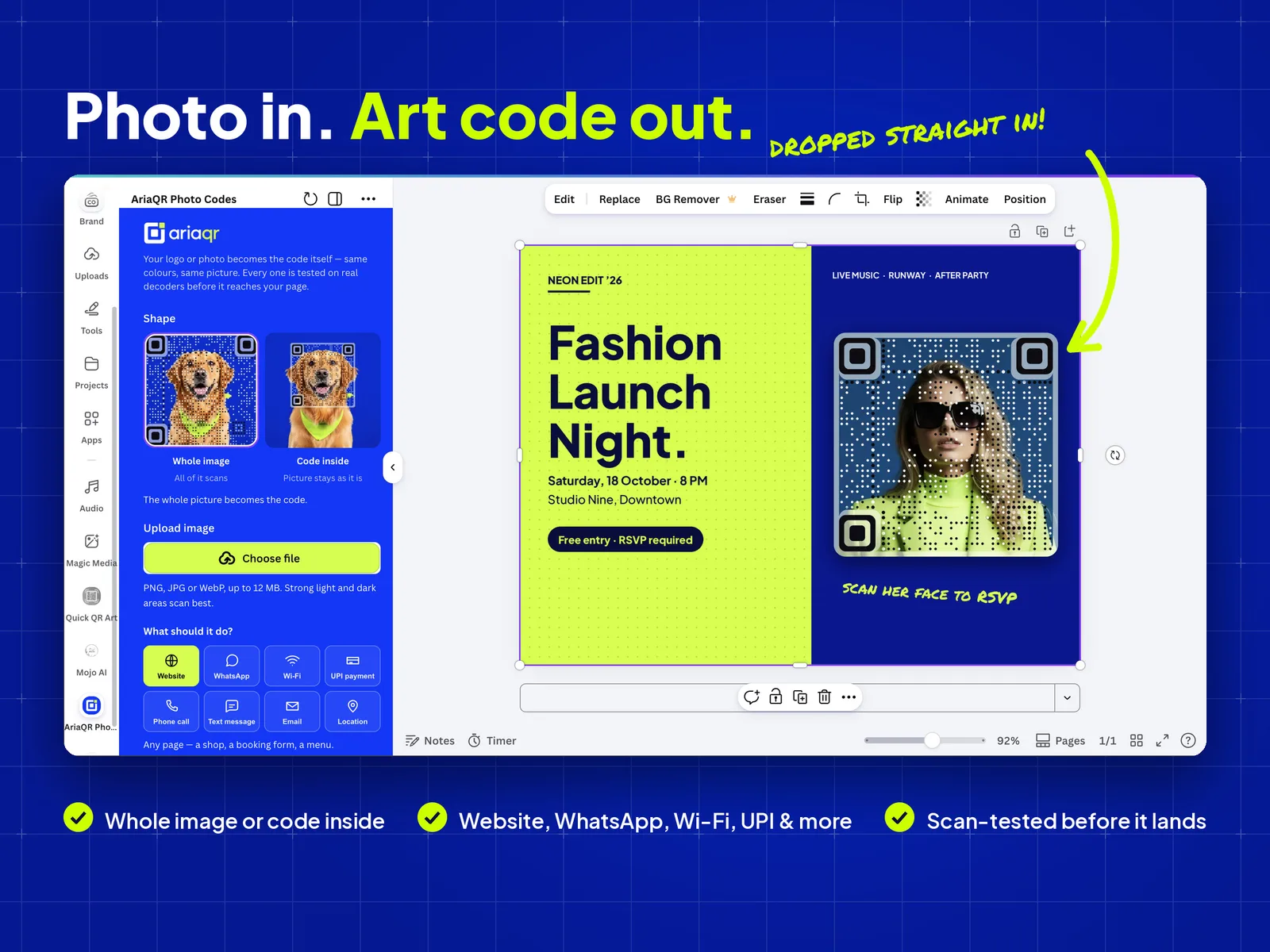
Open AriaQR in Canva
In the Canva editor, open Apps in the left panel, search for AriaQR and open it. It runs beside your design; nothing to install or sign up for.
- 2
Upload your photo or logo
Pick Whole image, where the entire picture becomes the code, or Code inside, where the picture stays as it is and the code sits in the spot you choose.
- 3
Choose what it opens
A website, a WhatsApp chat, your Wi-Fi, a UPI payment, a phone call, a text message, an email or a location. Then Screens & posters, or Small print for cards and labels.
- 4
Make the code
AriaQR builds the code out of your picture, tests that it scans, and drops it straight into your design. Resize and place it like any other image.
Same design, now scannable
The photo is
the code.
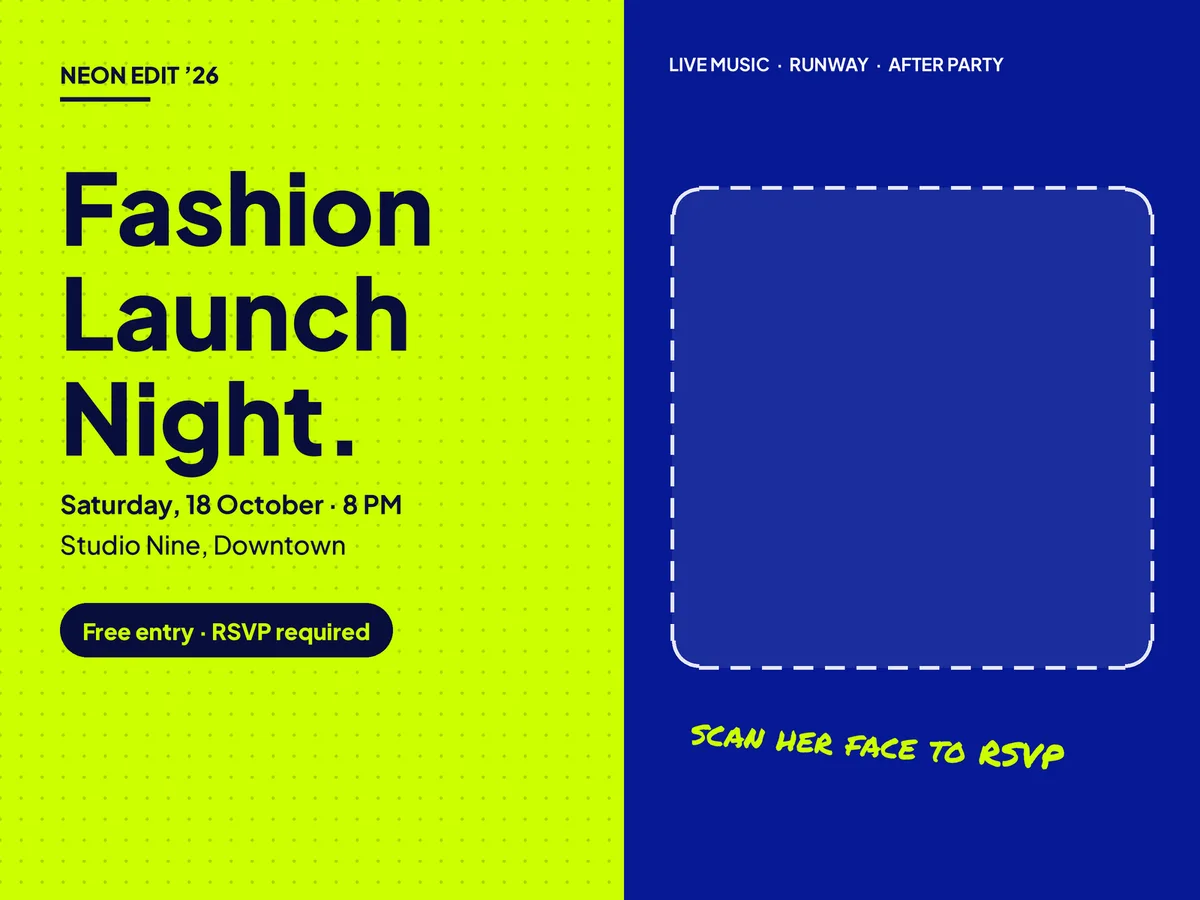
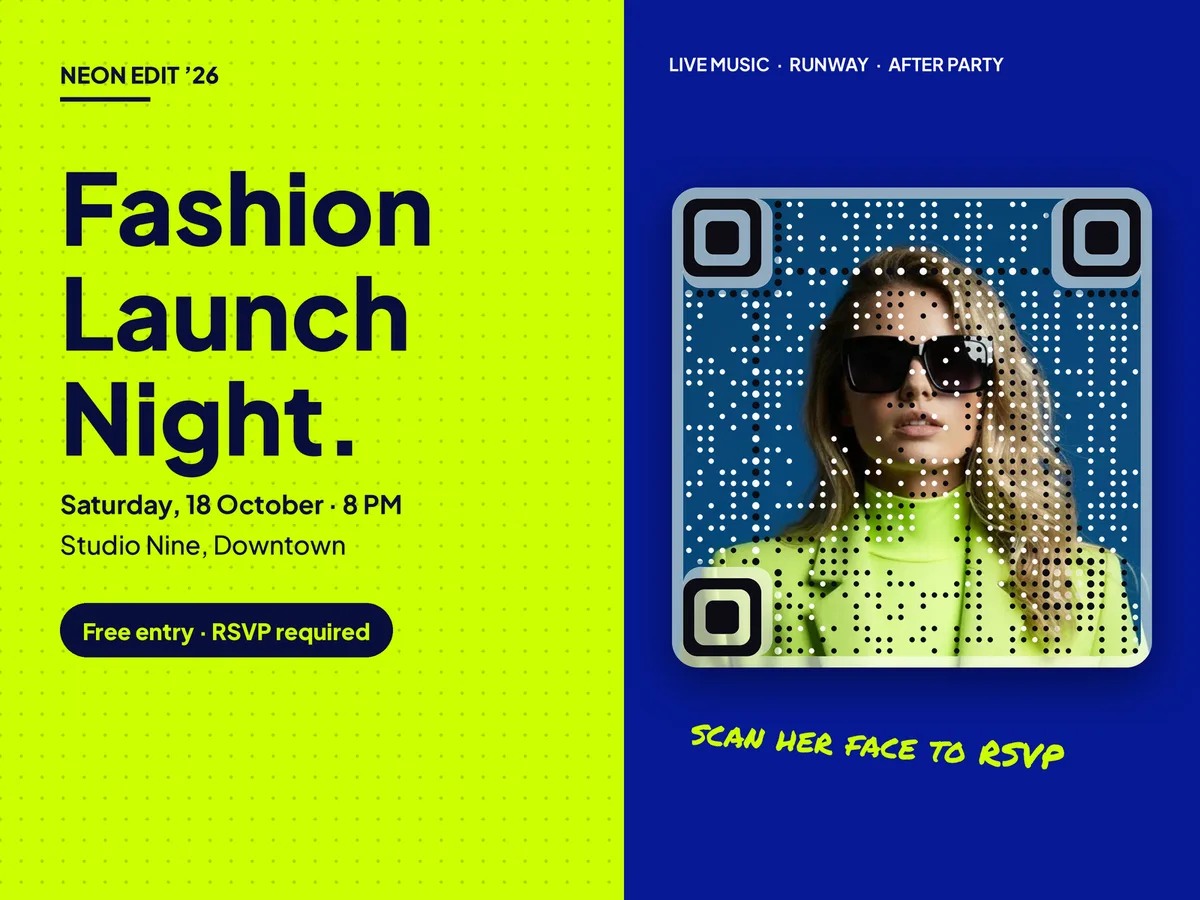
No white square pasted over your layout. The model on this poster is the QR code, and the rest of the design is untouched.
Compared
Canva’s QR code vs AriaQR.
Canva’s built-in QR code app is quick for a plain code to a page that will never change. When the code is part of the artwork, or the print run is expensive, AriaQR is the one to use. More in our full comparison.
| Feature | Canva QR code | AriaQR for Canva |
|---|---|---|
| What the code looks like | A standard square code | Your photo or logo becomes the code |
| Tested before it reaches your design | ||
| Change the link after printing | With a Live code | |
| Count the scans | With a Live code | |
| Code inside a photo, picture left as it is | ||
| Price | Free | Free codes, or a one-time Live code |
Made with it
Any photo.
Any design.
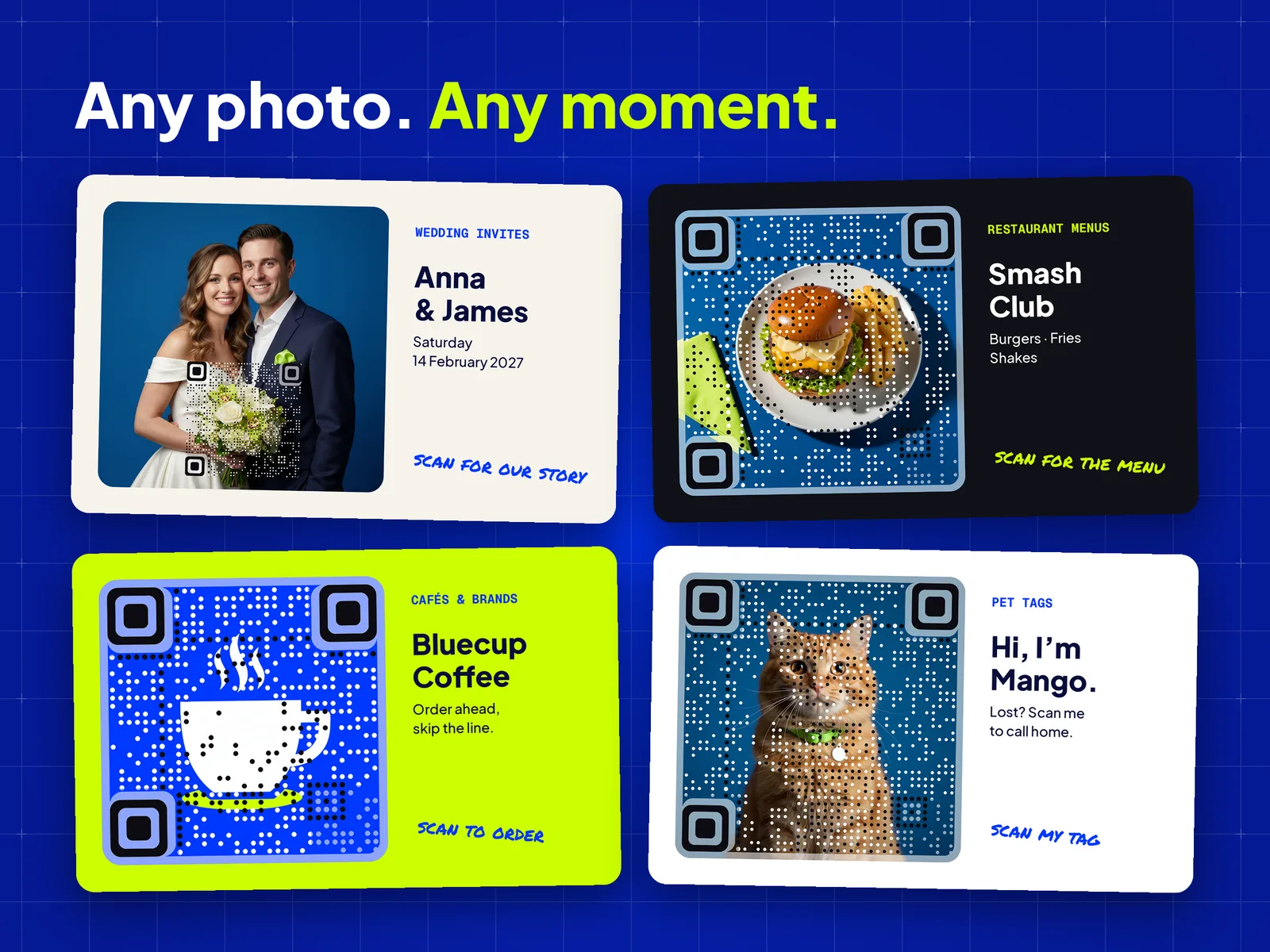
Wedding invitations that open your story, menus that open the full list, café logos that take orders, pet tags that call home. Whatever you design in Canva, the picture can carry the link.
- Website
- Wi-Fi
- UPI payment
- Phone call
- Text message
- Location
Free or live
Two kinds of code.
Free code
Free
- Your link is built into the code
- Works forever, nothing to renew
- Website, WhatsApp, Wi-Fi, UPI, text, email, location
- Tested before it is placed
Live code
$4 one-time, per code
- Change where it goes, even after printing
- Scan analytics: when, where and on which phone
- Phone-call codes that always ring the right number
- Goes into your design now; activate on ariaqr.com before you print
Questions
Asked and
answered.
Not designing in Canva? Make an art code from your own image on ariaqr.com and download it for any tool, or a free QR code with analytics.
How do I add a QR code in Canva?+
Open the Canva editor, choose Apps in the left panel and open AriaQR. Upload a photo or logo, enter the link or details the code should open, and select Make my code. The finished code is tested and added to your design as an image, ready to move and resize.
Can I make a QR code with my logo in Canva?+
Yes. Upload your logo in AriaQR and choose Whole image to turn the logo itself into the code, or Code inside to keep a photo as it is and set the code into it. Logos with strong light and dark areas give the cleanest result.
Is AriaQR for Canva free?+
Free codes cost nothing and work forever: the link is built into the code, so it goes straight to your page. A Live code is a one-time payment per code on ariaqr.com and adds scan analytics and a link you can change after printing.
What is a Live code?+
A Live code holds a short aqr.li link instead of your address, so you can change where it goes after the design is printed and see how many people scan it, when and where. It goes into your design straight away and starts working as soon as it is activated on ariaqr.com; activate it before you print.
Will the code still scan with a picture in it?+
AriaQR tests every code before it is added to your design, and a code that does not pass is not placed. Print it at 4 cm or larger for screens and posters, or choose Small print for business cards and labels down to about 1.5 cm.
Do QR codes made in Canva expire?+
Free AriaQR codes never expire: the destination is inside the code, so it works as long as that page exists. Live codes keep working too once activated; an unactivated one is deleted after 30 days, which is why the app asks you to activate before you print.
What kinds of QR codes can I make in Canva with AriaQR?+
Website, WhatsApp, Wi-Fi, UPI payment, Phone call, Text message, Email, Location. Wi-Fi and UPI codes hold their details inside the code, so they are free codes; a phone-call code is a Live code, so the number people call is always exactly yours.
Which images work best?+
PNG, JPG or WebP up to 12 MB. Pictures with clear light and dark areas scan best: a portrait on a plain background, a product shot, a bold logo. Very pale or very dark pictures can be made too, but the code is easier to see.