Would you scan a plain square taped to a parking meter, or a branded QR code printed into the sign? Most people pick the second, and with good reason. A branded QR code feels safer to scan because it carries the two things a scam sticker usually lacks: recognition and context.
That feeling is not just about looks. It lines up with how people actually judge a code in the second before they scan. Here is why branding builds trust, where it stops, and what should sit behind the code.
Why people hesitate before they scan
QR code scams have made headlines for years. The pattern is simple: a scammer prints a code, sticks it over the real one on a meter, a poster or a menu, and the scan opens a fake payment or sign-in page. Our guide to common QR code scams walks through the versions people meet most.
The trouble is that a plain code gives the scanner nothing to go on. Every square looks like every other square. The real code and the fake one are visually identical, so the only way to tell is after the scan, by reading the address. Many people never get that far: they simply decide not to scan anything that looks generic.
How a branded QR code builds trust
People do a fast, mostly unconscious check before they raise a phone. Branding answers the first part of it.
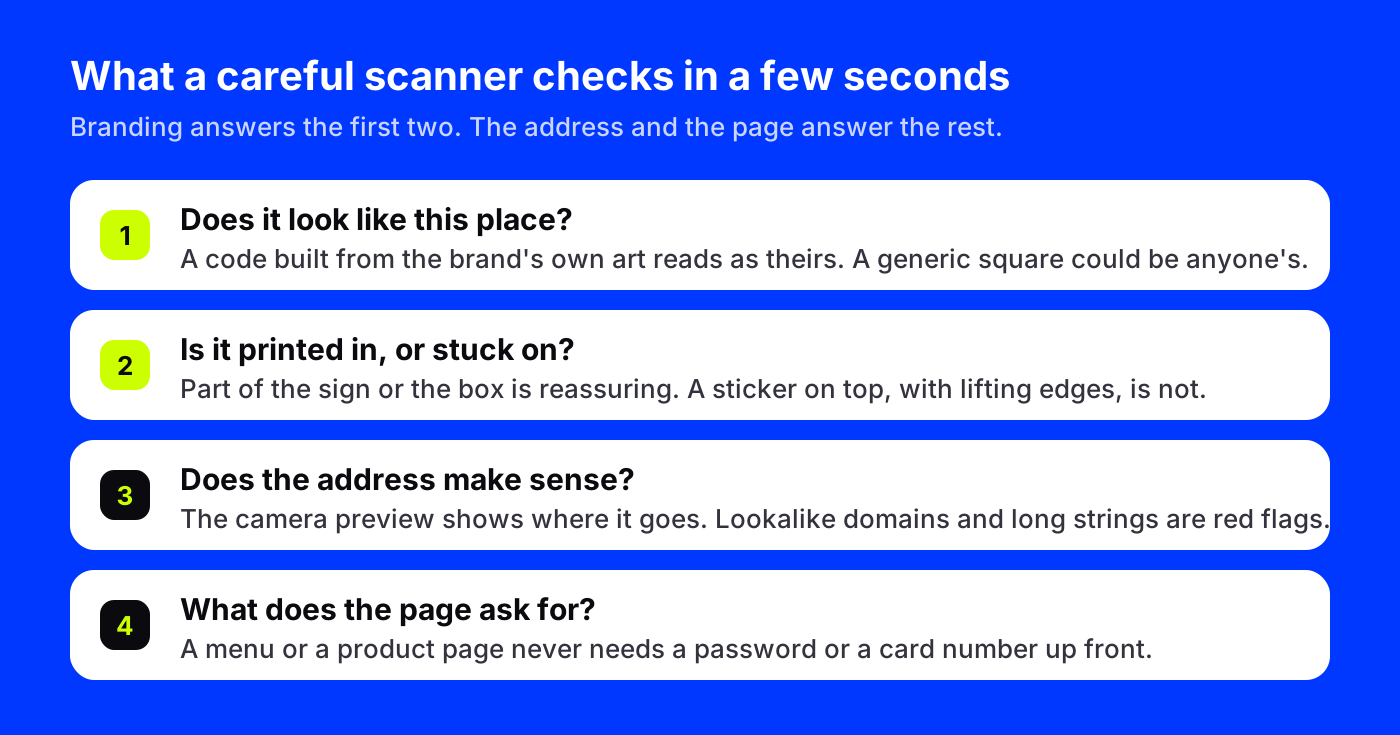
Recognition. A code made from the café's logo, the hotel's lobby or the product on the box reads as belonging to that place. The viewer does not have to wonder who put it there.
Context. A code that is part of the printed design, sitting in a spot the layout clearly planned for, looks intended. A sticker on top of a sign, slightly crooked with an edge lifting, looks added. People notice that difference even when they could not explain it.
Harder to swap unnoticed. If your code is a full-color picture of your logo, a scammer's generic square stuck over it is obvious to staff and customers alike. With plain codes, the swap is invisible.
What branding cannot do on its own
Branding is a signal, not proof. A determined scammer can make a convincing-looking code too, so the scanner's best habits still apply:
- Read the address your camera shows before opening it.
- Check the part of the domain just before the ending.
- Close any page that asks for a password or card number before showing you anything.
Our guide on how to check if a QR code is safe covers those habits step by step. A branded code earns the scan. What happens after the scan has to deserve it.
What should sit behind a code you can trust
The look gets people to scan. The service behind the code decides whether that trust is safe. With AriaQR, every code runs on a short link, so its destination can be checked, changed and stopped. These protections are live today:
- Destinations are checked. Every link's destination is checked against Google Safe Browsing when a code is made or edited, and re-checked over time. A flagged link is stopped or put behind a warning.
- Anyone can report a code. People can report a link without an account. Reports are reviewed, and a reported link can be put behind a warning page that names the destination.
- Blocked links never redirect. Once a link is blocked, a scan lands on a stop page, not the destination.
- Payment codes are locked to the owner. A code that carries a payment can only be changed by the signed-in owner, so a shared screen or a guest session cannot redirect money.
And for anyone unsure about a code in front of them, from any provider, the free QR code safety checker shows where a code goes and flags common tricks before you open it.
A real branded QR code
Here is what a branded code looks like in practice: a coffee roaster's stamp, turned into a working code.
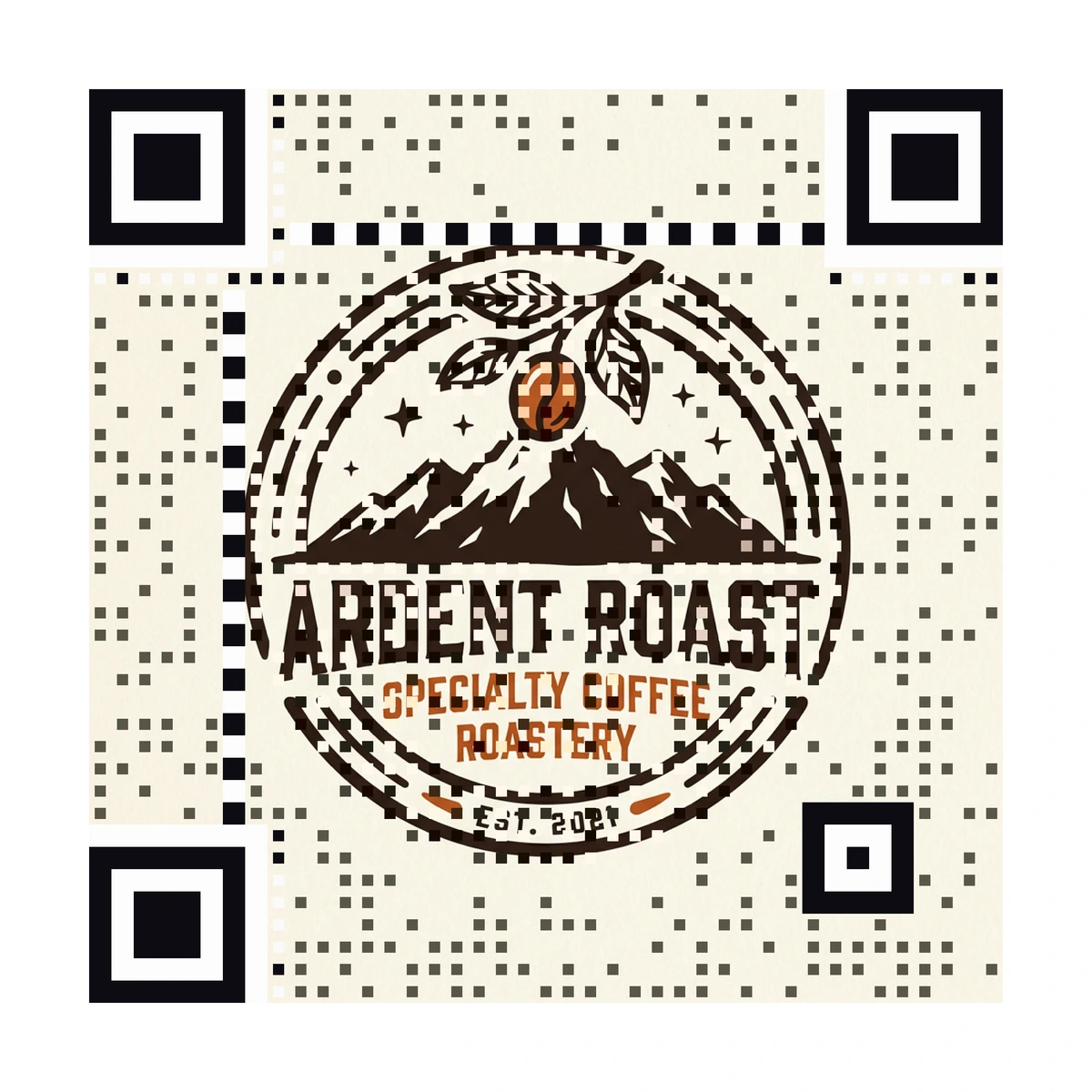
Point your camera at it. The image stays the image, and the code lives inside it as a field of dots. Every AriaQR code is verified on real decoders under real-world conditions before you can download it, so trust does not come at the cost of scans.
How businesses can make their codes easy to trust
A few habits make your codes the ones customers feel good about scanning:
- Make the code look like you. Use your logo, product or space, not a generic square.
- Print it in, do not stick it on. Codes that are part of the sign, menu or box are harder to cover without anyone noticing.
- Land on your own domain. When the camera preview shows a short link, the page it opens should be clearly yours.
- Say what it does. A line like "Scan for today's menu on our site" tells customers what to expect, so anything else looks wrong.
- Walk your codes. Check public codes regularly for stickers on top, and scan a few to confirm they still open the right page.
- Never use a code to ask for passwords. If customers know you never do, a fake that does will stand out.
Where to start
Look at the code customers scan most in your business, probably at the door, on the table or on the box. Ask whether a stranger would know it is yours before scanning. If not, rebuild it from your own artwork, print it into the design, point it at your own domain and add one line that says what it opens.